Now Reading: Bing Image Creator Review: Worth Trying in 2026?
-
01
Bing Image Creator Review: Worth Trying in 2026?
Bing Image Creator Review: Worth Trying in 2026?

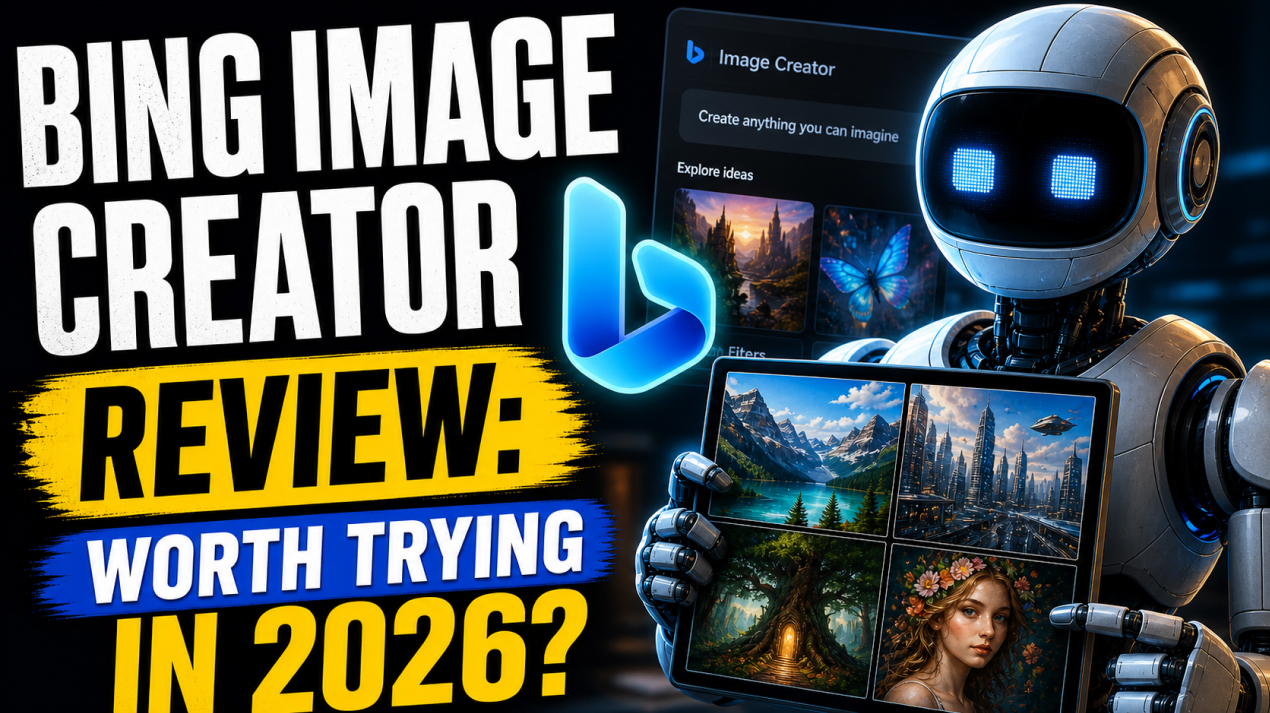
There is no doubt that AI image generation has become one of the most exciting parts of modern content creation. From blog graphics to social media posts and marketing visuals, creators now want fast and affordable tools that deliver quality results. That is where Bing Image Creator enters the conversation.
Powered by advanced AI image technology, it offers you a simple way to turn text prompts into visuals without needing design skills or expensive software. For beginners, bloggers, marketers, and casual creators, it feels like an easy starting point.
But in 2026, with strong competitors like Midjourney and Leondardo AI, is Bing Image Creator still worth trying? In this review, I will share with you its features, pros, cons, and top alternatives to help you decide if it fits your creative needs or not.
What is Bing Image Creator
Bing Image Creator is an AI-powered image generation tool developed by Microsoft that allows you to create images using simple text prompts. It is powered by advanced DALL·E technology and is integrated directly into the Bing ecosystem, making it easily accessible for everyday users.
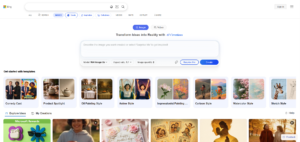
Instead of using complex design software, you describe what you want, and the tool generates multiple image options within seconds. It is commonly used for blog graphics, social media posts, thumbnails, concept visuals, and creative experiments.
One of its biggest advantages is accessibility. You can access it through Bing with a Microsoft account, often without paying for premium software. It is especially useful for beginners who want fast results without a steep learning curve. While it may not replace professional design platforms, it offers strong value for quick and practical content creation.
You may also like: Bing Image Creator vs DALL·E: 2026 Comparison
Top Features & Benefits of Bing Image Creator
Free and Easy Access for Beginners
One of the biggest reasons people try Bing Image Creator is its accessibility. You can start creating images with just a Microsoft account, without paying for expensive design tools. This makes it perfect for beginners, bloggers, and small business owners with limited budgets.
Its interface is also simple and does not require technical knowledge or prompt engineering skills. You type what you want, and the system handles the rest. This low barrier to entry helps more people use AI for creative work. It removes complexity and makes professional-looking visuals available to everyday users without major investment.
Fast Text-to-Image Generation
Bing Image Creator turns text prompts into visuals within seconds, which makes it highly efficient for content creators working under deadlines. Whether you need a blog banner, ad creative, or social media post, speed matters.
Instead of waiting hours for design work, you can generate multiple image variations quickly. This improves workflow and helps creators test ideas faster. Quick generation is especially useful for marketers handling campaigns and businesses needing frequent visuals. The faster the output, the easier it becomes to maintain content consistency.
Powered by Strong AI Technology
Because Bing Image Creator uses advanced DALL·E-powered generation, it produces surprisingly detailed and creative results for a free tool. It understands prompts better than many basic AI generators and creates cleaner outputs with stronger visual logic.
This means fewer unusable images and better first-attempt results. You can generate illustrations, realistic scenes, product concepts, and artistic visuals with strong quality. For a tool aimed at everyday users, the technology feels surprisingly powerful. This gives Bing Image Creator a strong advantage over weaker free alternatives with poor prompt understanding and low-quality output.
Multiple Variations for Better Choice
Instead of generating just one image, Bing Image Creator usually provides several visual options for each prompt. This gives you more flexibility and saves time during selection. If one result is not perfect, another version may be closer to the desired outcome, which reduces the need for constant re-prompting and improves creative experimentation.
Having multiple choices also helps marketers and designers compare styles before finalizing visuals. It creates a smoother decision-making process. For content creators, this feature adds both speed and convenience while improving the chances of finding the right final design.
Integrated with the Microsoft Ecosystem
Bing Image Creator benefits from being connected to the larger Microsoft ecosystem. If you are already working with Bing, Edge, or Microsoft accounts, you can access it more easily without extra setup. This convenience improves adoption, especially for professionals who prefer familiar platforms.
Integration also creates smoother workflows when moving between browsing, researching, and image creation. Instead of using separate tools for every task, creators can keep everything connected in one environment, which saves time.
Pros of Bing Image Creator
– Completely Beginner-Friendly Experience
Bing Image Creator is easy to use, even for people with no design background. The platform is simple, clean, and requires only text prompts. This makes it ideal for beginners entering AI image creation for the first time.
– Strong Value with Free Access
Unlike many premium AI tools, Bing Image Creator offers strong free access. You can generate useful visuals without paying for monthly subscriptions, which makes it a smart option for freelancers, bloggers, and startups with smaller budgets.
– Fast Image Creation Saves Time
The platform generates visuals quickly, helping you create content faster. This is especially useful for marketers and content creators who need blog banners, thumbnails, or ad visuals without waiting for manual design work.
– Powered by Reliable DALL·E Technology
Since it uses advanced DALL·E-powered generation, the image quality is better than many free AI tools. Prompt understanding is stronger, which means you often get more accurate and visually appealing outputs from the start.
– Great for Everyday Content Creation
Bing Image Creator works well for social media posts, presentations, blog graphics, and marketing visuals. It may not replace professional design software, but it performs very well for regular business and content needs.
Cons of Bing Image Creator
– Limited Advanced Customization
Compared to tools like Midjourney or Leonardo AI, Bing Image Creator offers fewer advanced controls. You cannot deeply adjust style settings, model training, or detailed refinement, which may limit professional creators needing more precision.
– Free Usage Can Feel Restricted
Although it is free, usage often depends on boost credits for faster generation. Once boosts are used, generation may slow down, which can affect productivity when handling larger content workloads regularly.
– Less Suitable for Professional Branding
Businesses needing strict brand consistency may find Bing Image Creator limited. Without custom model training or deeper style control, maintaining repeatable visual identity across campaigns becomes more difficult than with premium design-focused platforms.
– Prompt Quality Still Matters
Even with strong AI technology, weak prompts can still create poor results. You must learn how to write better prompts to improve output quality, which adds a small learning curve for complete beginners.
– Not a Full Design Platform
Bing Image Creator focuses mainly on image generation, not full editing. You may still need separate tools like Photoshop or Canva for final adjustments, resizing, branding, and advanced post-production work.
Competitors of Bing Image Creator You Should Check Out
DALL·E
DALL·E, developed by OpenAI, is one of the strongest competitors of Bing Image Creator because it powers many advanced text-to-image models. It is known for excellent prompt understanding, cleaner outputs, and strong commercial usability.
Marketers, bloggers, and businesses often prefer DALL·E for professional-quality visuals. Its integration with ChatGPT also creates a smoother workflow for those who want both content writing and image generation in one place.
What makes it a direct competitor of Bing Image Creator: Both tools focus on fast text-to-image generation for everyday use. DALL·E competes directly by offering stronger accuracy, better output quality, and a more premium user experience for commercial content creation.
Related article: DALL-E Review 2026: The Only Image AI That Actually “Thinks.”
Midjourney
Midjourney is highly popular for artistic and visually stunning image generation. It is especially preferred by designers, illustrators, and branding professionals who want unique, premium-quality visuals.
Its outputs often feel more creative and cinematic compared to basic AI generators. Although it has a steeper learning curve, many professionals choose it for serious design projects where style and artistic quality matter more than simplicity.
What makes it a direct competitor of Bing Image Creator: Midjourney competes by offering significantly stronger artistic quality and advanced creative output, which makes it a top alternative for those who want more than quick, basic image generation.
Related article: Midjourney Review: Can It Finally Replace Your Graphic Designer?
Leonardo AI
Leonardo AI is designed for professionals who need stronger control over image generation. It supports custom models, real-time editing, upscaling, and consistent branding. This makes it especially useful for marketers, agencies, and game developers.
Unlike simpler tools, Leonardo AI focuses on workflow efficiency and production-level output. It works more like a full creative studio rather than just a prompt-based generator.
What makes it a direct competitor of Bing Image Creator: Both tools help create AI visuals quickly, but Leonardo AI competes through advanced customization, professional workflow tools, and stronger control for businesses needing consistent, high-quality outputs.
Adobe Firefly
Adobe Firefly is a strong competitor because it targets professionals already working inside Adobe products like Photoshop and Illustrator. It focuses on safe commercial usage, design consistency, and enterprise trust.
Agencies and designers often prefer it because it fits naturally into existing creative workflows, which makes it highly valuable for professional teams handling client work and branded content regularly.
What makes it a direct competitor of Bing Image Creator: Adobe Firefly competes directly by offering professional-grade image generation with stronger design integration, making it a better option for you who already depend on Adobe tools daily.
Ideogram
Ideogram is gaining attention because of its strong ability to generate images with clear, readable text inside them. This makes it excellent for posters, ads, thumbnails, and social media graphics.
Many AI tools struggle with text rendering, but Ideogram performs much better in this area. It is especially useful for marketers and content creators focused on design-heavy promotional visuals.
What makes it a direct competitor of Bing Image Creator: Ideogram competes by offering stronger text rendering and marketing-focused image generation, making it a better choice for creators who need commercial design content instead of general artistic visuals.
Conclusion
Bing Image Creator remains one of the easiest and most accessible AI image generation tools in 2026. Its biggest strength is simplicity, because you can create useful visuals quickly without design experience or expensive subscriptions.
For bloggers, marketers, freelancers, and beginners, it offers strong value with free access and reliable DALL·E-powered performance. While it may not match the advanced control of Midjourney or Leonardo AI, it performs well for everyday content creation and practical business use.
If your goal is fast, affordable, and beginner-friendly image generation, Bing Image Creator is definitely worth trying.
FAQ’s
Is Bing Image Creator free to use?
Yes, Bing Image Creator offers free access through a Microsoft account.
Is Bing Image Creator powered by DALL·E?
Yes, it uses advanced DALL·E-powered image generation technology to create visuals from text prompts.
Can Bing Image Creator be used for commercial work?
Yes, you can use Bng Image Creator for commercial work.
Is Bing Image Creator better than Midjourney?
For beginners, Bing Image Creator is easier and more affordable. Midjourney is stronger for advanced artistic and professional design work.
Who should use Bing Image Creator?
It is ideal for bloggers, marketers, freelancers, and small business owners who need quick, simple, and affordable AI-generated images.