Now Reading: 7 Top Codeium Alternatives: Free & Paid AI Code Assistants
-
01
7 Top Codeium Alternatives: Free & Paid AI Code Assistants
7 Top Codeium Alternatives: Free & Paid AI Code Assistants


There is no doubt that Codeium has become a popular AI coding assistant, but it is not the only strong option available today. Many developers look for alternatives that offer better integrations, improved accuracy, privacy controls, or pricing flexibility.
Whether you are a solo developer, part of a startup team, or working in an enterprise environment, choosing the right AI code assistant can significantly improve productivity.
But in this crowded industry, finding the perfect Codeium alternative can be challenging. That’s why, in this guide, I will share with you some of the best Codeium alternatives you can start using from today.
GitHub Copilot
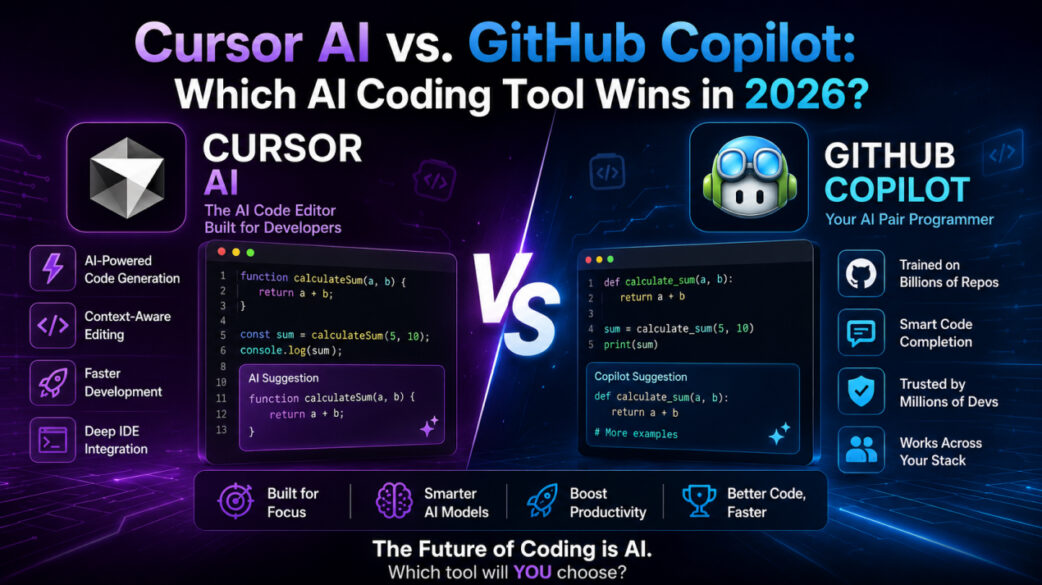
GitHub Copilot is one of the most widely used AI coding assistants in the world. Developed by GitHub and powered by advanced AI models, it integrates directly with popular editors, including VS Code and JetBrains IDEs.

It provides real-time code suggestions, function completion, and contextual recommendations while you type. Copilot supports multiple programming languages and frameworks, making it versatile for different development environments.
It is commonly used by individual developers, startups, and enterprise teams. With continuous improvements and deep IDE integration, GitHub Copilot remains a strong benchmark in the AI coding space, especially for developers who want seamless workflow integration.
What Makes GitHub Copilot Unique?
GitHub Copilot stands out because of its deep integration with GitHub’s ecosystem and major code editors. It understands context from your current file and provides intelligent, line-by-line suggestions.
The tool supports multiple languages and adapts to various coding styles. Its training on large-scale public code repositories allows it to generate relevant solutions quickly.
Pros
- Real-time intelligent code suggestions.
- Strong IDE integration (VS Code, JetBrains, etc.).
- Supports many programming languages.
- Improves development speed significantly.
- Backed by GitHub and continuous updates.
Cons
- Requires subscription for full features.
- Sometimes suggests incorrect code.
- May raise concerns about code licensing.
- Not always ideal for complex architecture planning.
- Requires an internet connection.
Who is GitHub Copilot best suited for?
GitHub Copilot is ideal for individual developers, freelancers, and teams who want fast in-editor code assistance. It works best for users of popular IDEs who want to speed up routine coding tasks, boilerplate generation, and everyday development workflows.
Cursor AI
Cursor AI is an AI-powered code editor built specifically around artificial intelligence workflows. Unlike traditional plugins, it is designed from the ground up to integrate AI deeply into the coding environment.

It allows you to edit, refactor, and understand code using natural language commands. Cursor focuses on improving productivity through AI-assisted code navigation and project-level context awareness.
It is gaining popularity among developers who prefer a modern, AI-first coding experience.
What Makes Cursor AI Unique?
Cursor AI differentiates itself by being an AI-native code editor rather than just an extension. It allows you to interact with code using natural language instructions.
The tool can analyze entire codebases for context-aware suggestions. Its built-in AI chat functionality helps with debugging, refactoring, and understanding complex projects.
This deep integration creates a more interactive and intelligent development experience than traditional code-completion tools.
Pros
- AI-native code editor design.
- Natural language code editing.
- Strong project-level context understanding.
- Built-in AI chat for debugging.
- Modern and intuitive interface.
Cons
- Requires switching from traditional IDEs.
- Subscription needed for advanced features.
- Learning curve for new users.
- May consume more system resources.
- Still evolving compared to older tools.
Who is Cursor AI best suited for?
Cursor AI is best for developers who want an AI-first coding experience. It suits programmers who are open to using a dedicated AI editor and prefer advanced natural language interaction for refactoring, debugging, and managing larger projects.
Claude Code
Claude Code is an AI-powered coding assistant developed to help developers like you write, review, and understand code more efficiently. It focuses on reasoning, long-context understanding, and structured problem-solving.

Unlike simple autocomplete tools, it can analyze larger sections of code and provide detailed explanations. It is especially useful for debugging complex logic, improving code quality, and generating well-structured solutions.
Claude Code is often preferred by developers who need thoughtful responses rather than only quick suggestions. Its strength lies in handling detailed instructions and maintaining context across longer conversations, making it suitable for more advanced development workflows.
What Makes Claude Code Unique?
Claude Code stands out for its strong reasoning ability and long-context processing. It can analyze large codebases and maintain an understanding across multiple files.
The tool is designed to provide structured explanations along with code suggestions. It is particularly effective for debugging, refactoring, and architectural discussions.
Its emphasis on clarity and logical responses makes it different from traditional autocomplete-based AI coding assistants.
Pros
- Strong reasoning and context handling.
- Good for complex debugging tasks.
- Handles long code inputs.
- Provides detailed explanations.
- Useful for structured development workflows.
Cons
- Not always focused on real-time autocomplete.
- May require integration setup.
- Subscription-based access.
- Performance depends on prompt clarity.
- Less editor-native compared to some tools.
Who is Claude Code best suited for?
Claude Code is best suited for developers who are working on complex projects that require detailed reasoning and explanation. It is ideal for engineers who prioritize structured problem-solving, architecture planning, and code analysis over simple line-by-line autocomplete suggestions.
Cody by Sourcegraph
Cody by Sourcegraph is an AI coding assistant that is designed to work deeply with large codebases. It integrates with the Sourcegraph platform and helps developers understand, navigate, and search through extensive repositories.

Cody is particularly useful for enterprise teams managing complex systems. It combines code search capabilities with AI-powered assistance, making it effective for reviewing, refactoring, and exploring large projects.
Its ability to understand entire repositories can help you and your team to improve collaboration and maintain code quality across distributed environments.
What Makes Cody Unique?
Cody’s main strength is its integration with Sourcegraph’s powerful code search system. It can analyze entire repositories rather than just individual files.
This makes it highly effective for large teams and enterprise environments. The tool provides context-aware suggestions based on full project visibility. Its combination of search intelligence and AI assistance gives developers deeper insights into complex codebases.
Pros
- Excellent for large codebases.
- Strong repository-wide context.
- Integrates with Sourcegraph search.
- Good for enterprise teams.
- Helps with code understanding and review.
Cons
- Best features may require Sourcegraph setup.
- Less focused on lightweight personal use.
- Can feel complex for beginners.
- Enterprise-oriented structure.
- May require onboarding time.
Who is Cody best suited for?
Cody is ideal for enterprise developers and large teams working with extensive codebases. It is especially useful for organizations that rely on advanced code search and need AI assistance for understanding, reviewing, and maintaining complex projects.
Supermaven
Supermaven is an AI-powered coding assistant that is focused on speed and efficiency. It is designed to provide fast, low-latency code suggestions while maintaining high-quality output.
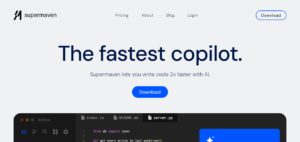
Supermaven aims to improve developer productivity by offering quick completions and responsive assistance. It integrates with popular development environments and emphasizes performance optimization.
Developers who value speed and smooth workflow often consider Supermaven as a lightweight yet powerful alternative to traditional AI coding tools.
What Makes Supermaven Unique?
Supermaven distinguishes itself through its emphasis on speed and performance. It is built to deliver extremely fast code suggestions with minimal delay.
The tool is optimized for low latency, allowing you to maintain uninterrupted workflow. Its focus on responsiveness makes it suitable for real-time coding environments where quick feedback is important.
Pros
- Very fast code suggestions.
- Low-latency performance.
- Lightweight integration.
- Improves coding efficiency.
- Smooth developer experience.
Cons
- May have fewer advanced features.
- Limited architectural support.
- Subscription-based plans.
- Not as widely adopted as major tools.
- Feature set still evolving.
Who is Supermaven best suited for?
Supermaven is best for developers who prioritize speed and real-time code completion.
Replit Agent
Replit Agent is an AI-powered assistant integrated within the Replit platform. It helps you build, debug, and deploy applications directly inside the browser-based development environment.

Replit Agent supports natural language prompts and can assist in generating full projects. It is particularly useful for beginners, educators, and rapid prototyping.
Since it operates within Replit’s ecosystem, it allows seamless transition from code generation to deployment, making it convenient for fast development cycles.
What Makes Replit Agent Unique?
Replit Agent is unique because it combines AI assistance with a fully cloud-based development environment. With it, you can write, test, and deploy code in one place.
It supports natural language instructions to generate applications and features. This tight integration between AI and hosting makes it especially useful for quick project creation and experimentation.
Pros
- Fully browser-based workflow.
- AI-driven project generation.
- Easy deployment integration.
- Beginner-friendly interface.
- Good for rapid prototyping.
Cons
- Requires Replit platform usage.
- Limited offline capability.
- Advanced features may require paid plans.
- Less suitable for large enterprise systems.
- Dependent on internet connection.
Who is Replit Agent best suited for?
Replit Agent is best suited for students, beginners, and developers who want quick project creation inside a browser-based environment. It is ideal for learning, prototyping, and small to medium-scale application development.
JetBrains AI Assistant
JetBrains AI Assistant is integrated into JetBrains IDEs such as IntelliJ IDEA, PyCharm, and WebStorm. It enhances the development experience by providing intelligent code completion, explanations, refactoring suggestions, and debugging support.

Since it is built directly into the JetBrains ecosystem, it offers seamless integration for developers already using these tools. The assistant focuses on improving productivity within professional development environments.
What Makes JetBrains AI Assistant Unique?
JetBrains AI Assistant is unique because it is embedded directly into JetBrains IDEs. This deep integration allows you to receive contextual suggestions without leaving your development environment.
It supports code explanations, refactoring, and documentation assistance. Its native integration ensures smooth performance and a consistent workflow for users of JetBrains products.
Pros
- Native JetBrains IDE integration.
- Context-aware suggestions.
- Supports refactoring tasks.
- Code explanation features.
- Professional development focus.
Cons
- Limited outside the JetBrains ecosystem.
- Subscription required.
- Best suited for existing users.
- May not support all workflows equally.
- Feature access depends on the IDE version.
Who is JetBrains AI Assistant best suited for?
JetBrains AI Assistant is ideal for developers already using JetBrains IDEs. It is best suited for professional programmers who want integrated AI support within their existing development environment.
Conclusion
There are many strong alternatives to Codeium, and the best choice depends on your workflow, team size, and development needs. Tools like GitHub Copilot and Cursor AI focus on real-time coding assistance and modern AI integration.
Enterprise-oriented options such as Cody by Sourcegraph support large-scale repositories, while lightweight tools like Supermaven prioritize speed and efficiency. Platforms like Replit Agent offer browser-based convenience, and JetBrains AI Assistant provides seamless integration within established IDE environments.
Each tool has its strengths and limitations, so evaluating feature and ecosystem compatibility is essential. By carefully comparing these options, you can choose an AI code assistant that improves productivity, enhances code quality, and integrates naturally into your daily development process.
FAQ’s
- What is the best alternative to Codeium?
The best alternative depends on your needs, but GitHub Copilot is one of the most popular options.
- Are these AI coding tools free?
Some tools offer free plans, but advanced features usually require paid subscriptions.
- Which tool is best for large teams?
Cody by Sourcegraph is well-suited for enterprise and large codebases.
- Which AI assistant is the fastest?
Supermaven is known for its speed and low-latency performance.
- Can AI code assistants replace developers?
No. They support developers by improving productivity, but do not replace human expertise.