Now Reading: Pictory vs InVideo (2026): Which AI Video Tool Is Better?
-
01
Pictory vs InVideo (2026): Which AI Video Tool Is Better?
Pictory vs InVideo (2026): Which AI Video Tool Is Better?

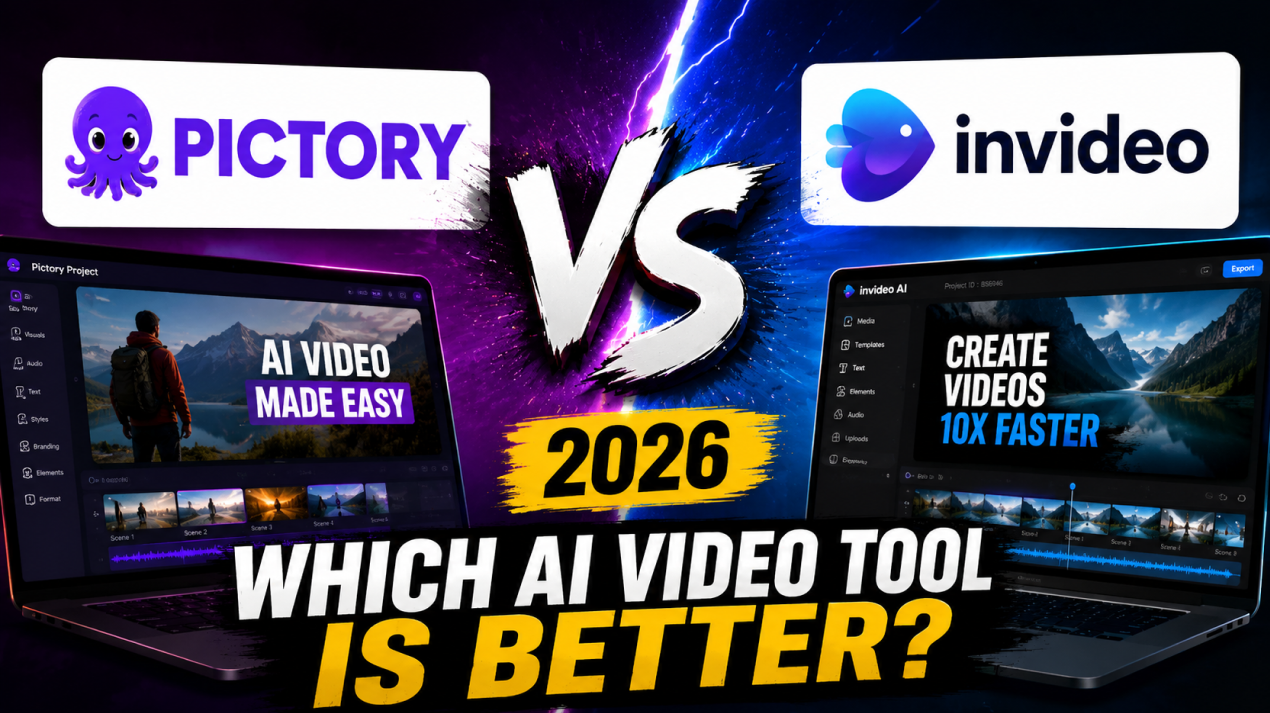
There is no doubt that AI video creation tools are changing how we all produce video content. Instead of understanding complex editing software, you can now generate professional videos using automation and templates. Two popular platforms in this space are Pictory and InVideo. Both tools focus on simplifying video production, but they approach it differently.
But choosing between these platforms depends on your workflow and goals. That’s why in this comparison, I’ll share with you everything that you need to know about these tools, including pros and cons, so that you can better understand whether you can benefit from them or not.
What is Pictory
Pictory is an AI-powered video creation platform that is designed to convert text-based content into videos. It allows you to transform blog posts, scripts, and articles into short videos automatically. This makes it especially useful for marketers, YouTubers, and social media managers. The platform uses artificial intelligence to select videos, add captions, and create voiceovers.

One of Pictory’s main strengths is automation. With it, you can generate videos without advanced editing skills. The tool also includes features like automatic summarization, subtitle generation, and stock media integration. These capabilities reduce production time significantly.
Pictory operates entirely online, which makes it accessible from any device. It is particularly helpful for repurposing long-form content into short clips.
What is InVideo
InVideo is an online video editing platform that is designed for those who want flexibility and customization. It offers a wide range of templates for marketing, social media, and business videos. With it, you can start with ready-made designs and modify them easily. This makes the platform suitable for beginners and professionals.
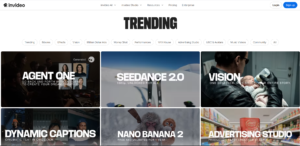
One of InVideo’s key advantages is its large media library. Because of that, you gain access to stock footage, music, and images. The platform also includes AI tools for script generation and voiceovers. These features can streamline the content creation process.
InVideo supports drag-and-drop editing, which makes it simple to adjust scenes. You can add branding elements, transitions, and effects. The platform is also cloud-based, allowing collaboration and remote editing.
Top Features & Benefits of Pictory
AI Script-to-Video Conversion
Pictory’s script-to-video feature allows you to convert written content into videos automatically. You simply need to paste a script, and the AI selects visuals, adds transitions, and generates captions, which saves significant editing time. The automation is especially useful for those creating content regularly.
The feature also helps maintain consistency across videos. With it, you can quickly produce multiple clips from different scripts, which improves productivity. As a result, you get a professional-looking video without manual editing.
Automatic Video Summarization
Pictory can summarize long-form content into shorter videos. This feature is useful for webinars, tutorials, and lengthy articles. The AI identifies key points and converts them into concise clips, which helps those who want to reuse existing content.
Summarization also improves engagement by focusing on highlights. Short videos perform better on social platforms. You can create promotional snippets easily. The feature also reduces manual editing effort. Instead of reviewing entire videos, AI handles the process, which saves time.
Auto Captioning and Subtitles
Pictory automatically generates captions for videos, which improves accessibility and engagement. Many viewers watch content without sound, making subtitles essential. The AI detects speech and converts it into text accurately.
You can customize caption styles to match branding, which helps maintain consistency. Subtitles also improve reach on social media platforms. Search engines may also benefit from text-based content. Pictory’s auto captioning reduces manual work for those who no longer need separate transcription tools. This feature enhances productivity while ensuring videos remain accessible and professional.
Built-in Stock Media Library
Pictory includes a built-in library of stock videos, images, and music. You can access these resources without leaving the platform. This simplifies content creation.
Having a stock library saves time and cost. The integrated media also ensures consistent quality. You can replace visuals easily if needed. This flexibility improves customization. The feature supports different content types.
Cloud-Based Editing and Accessibility
Pictory operates entirely in the cloud. With it, you can create videos from any device, which removes hardware limitations. Cloud-based editing also simplifies collaboration, as teams can share projects easily.
Automatic updates also ensure that you always access the latest features. There is no need for software installation, which improves convenience. Cloud rendering reduces processing load on local devices. Even basic systems can handle video creation. The platform also stores projects securely online, so that you can resume editing anytime. This accessibility makes Pictory suitable for remote teams and individual creators.
Top Features & Benefits of InVideo
Extensive Template Library
InVideo offers a large library of templates that are designed for various industries. With that, you can select templates for marketing, social media, and business videos. This can speed up content creation.
The variety helps you find suitable layouts quickly. Customization options allow changes to colors, text, and media. This flexibility improves branding. Because of that, beginners benefit greatly from ready-made designs.
Professionals can modify templates for unique content. The extensive template library reduces production time, as it also ensures visually appealing results.
Drag-and-Drop Video Editing
InVideo features a drag-and-drop editing interface. You can easily rearrange scenes and elements. This simplifies the editing process, with no technical skills required.
Drag-and-drop functionality also improves workflow speed. With it, you can add text, images, and videos quickly. The interface remains intuitive. This reduces learning time. The feature also supports customization without complexity. It also allows quick adjustments. InVideo’s editing system balances simplicity and flexibility.
Large Stock Media Collection
InVideo provides access to a large stock media collection. You can choose from videos, images, and music, which eliminates the need for external resources.
The stock library supports diverse content types. Marketing videos and social media posts benefit from variety. High-quality media improves production value. You can search for relevant assets quickly, which saves time. The integrated library also reduces costs
AI Voiceovers and Script Assistance
InVideo includes AI voiceover capabilities. With it, you can generate narration automatically, which can reduce the need for manual recording. The feature supports multiple languages.
Script assistance tools help you generate content ideas, which simplifies planning. AI voiceovers improve accessibility. With it, you can create videos faster. This feature also ensures consistent audio quality, which makes it useful for marketing videos.
Brand Customization and Collaboration
InVideo supports branding features for consistent content. You can add logos, colors, and fonts, which help maintain brand identity. The platform also allows team collaboration.
Shared projects improve workflow efficiency, as teams can now edit videos together, which reduces communication gaps. Brand customization ensures professional output. With it, you can create templates for repeated use, which saves time. Collaboration tools also help agencies.
Pros and Cons of Pictory
Pros
Fast Content Repurposing: Pictory quickly converts blog posts, scripts, and long videos into short clips, which saves editing time and helps marketers repurpose existing content efficiently for social media platforms and campaigns.
Beginner-Friendly Automation: The platform relies heavily on automation, which makes it suitable for beginners. With it, you can generate videos without technical skills, reducing the learning curve and speeding up production for individuals and small teams.
Automatic Subtitles and Captions: Pictory automatically generates subtitles, improving accessibility and engagement. This feature helps videos perform better on social media platforms where viewers often watch content without sound.
Built-in Stock Media Access: You get access to a built-in stock library of videos, images, and music. This eliminates the need for external resources and helps create professional videos quickly.
Cloud-Based Convenience: Pictory runs entirely online, allowing you usersto access projects from any device. This flexibility improves workflow efficiency and makes collaboration easier for teams.
Cons
Limited Advanced Editing Controls: Pictory focuses on automation, which limits detailed editing options. If you are If are seeking advanced timeline control may find customization restricted compared to traditional video editing software.
AI Visual Selection May Need Adjustment: AI-generated visuals are not always perfect. Because of that, you sometimes need to replace clips manually to match branding or content requirements, adding extra editing time.
Fewer Templates Compared to Competitors: Pictory offers fewer design templates than some competitors. This may reduce creative variety for you who rely heavily on ready-made layouts.
Internet Dependency: Because Pictory is cloud-based, a stable internet connection is required. Slow connectivity may affect video generation and editing performance.
Pricing for Full Features: Some advanced features are only available in paid plans. This may limit functionality for those working with smaller budgets or testing the platform.
Pros and Cons of InVideo
Pros
Extensive Template Collection: InVideo provides thousands of templates for different industries. This helps you create professional videos quickly without starting from scratch, improving efficiency for marketing and social media content.
Flexible Customization Options: You can customize scenes, text, and branding elements easily. This flexibility allows you to design unique videos tailored to their specific needs and style.
Large Stock Media Library: InVideo offers access to a large stock media collection. You can choose from videos, images, and music, eliminating the need for external resources.
Drag-and-Drop Editing Interface: The drag-and-drop interface simplifies editing. With it, you can rearrange elements easily, making the platform suitable for beginners while still supporting advanced customization.
Collaboration Features: Team collaboration tools allow multiple people to work on projects. This improves workflow efficiency for agencies and marketing teams.
Cons
Can Feel Overwhelming for Beginners: The large number of templates and features may confuse you. That’s why beginners may need time to explore and understand the interface fully.
Rendering Speed May Vary: Video rendering speed can depend on project complexity and internet connection. This may slow down production for large projects.
Some Premium Assets Require a Paid Plan: Certain templates and stock media are locked behind paid plans. This may limit access for users.
Limited Advanced AI Automation: Compared to some AI-focused tools, InVideo relies more on manual editing. Automation features are less extensive.
Occasional Performance Lag: Large projects with multiple elements may cause performance lag. This can affect the editing experience, especially on slower internet connections.
Pictory vs InVideo: Which is Better?
Choosing between Pictory and InVideo depends on your content creation needs. Pictory is better for you who want fast automation and content repurposing. It converts scripts, blogs, and long videos into short clips quickly, which makes it ideal for marketers and social media managers.
InVideo, however, offers more flexibility and customization. Its large template library and drag-and-drop editor allow you to create visually unique videos. This makes it suitable for businesses and those who want design control. InVideo also supports branding features and team collaboration.
FAQ’s
- Which is better for beginners, Pictory or InVideo?
Pictory is easier for beginners due to automation.
- Can Pictory create videos from blog posts?
Yes, Pictory can convert blog posts and scripts into videos automatically.
- Does InVideo provide templates?
Yes, InVideo offers a large template library for different video types.
- Which tool is better for customization?
InVideo provides more customization options compared to Pictory.
- Are both tools cloud-based?
Yes, both Pictory and InVideo operate in the cloud and require internet access.