Now Reading: 8 Best AI Tools for Logo & Graphic Design You Should Definitely Try in 2026
-
01
8 Best AI Tools for Logo & Graphic Design You Should Definitely Try in 2026
8 Best AI Tools for Logo & Graphic Design You Should Definitely Try in 2026

IN 2026, it is clear to everyone that AI-powered design tools are changing how logos and graphics are created. Instead of spending hours on manual design, you can now create professional logos and designs within minutes using AI.
Whether you’re a startup founder, content creator, or a graphic designer, AI tools can help you simplify branding and creative workflows. These platforms offer features like logo generation, text-to-image design, templates, brand kits, and collaboration options.
However, in this crowded market, choosing the right AI tool for logo and graphic design can be challenging. That’s why, in this guide, I’ll share some of the best AI tools for logo and graphic design that can help you create them in minutes, instead of spending hours on each one.
Looka
Looka is an AI-powered logo and brand identity platform that is designed to help you create professional branding quickly. It uses artificial intelligence to generate logo concepts based on your preferences, industry type, and color choices.

Not only that, but Looka also provides a full brand kit including social media assets, business cards, and marketing materials. The platform is beginner-friendly and does not require design experience. With it, you can also customize fonts, icons, layouts, and colors after generation.
What Makes Looka Unique?
Looka stands out because it offers more than just logo generation. It creates a complete brand identity package, including brand guidelines, social media templates, and marketing assets. What makes it even better is that its AI learns from your inputs and generates multiple variations quickly.
Pros
- Easy-to-use AI logo generator for beginners.
- Generates full brand kits instantly.
- Multiple logo variations available.
- Customizable fonts, colors, and layouts.
- Professional branding without hiring a designer.
Cons
- Limited advanced design control.
- High-resolution files require payment.
- Icons library is smaller than the competitors’.
- Not ideal for complex custom designs.
- Subscription cost for full branding kit.
Who is Looka best suited for?
Looka is best suited for those who need quick branding without design experience and are looking for a complete brand identity package.
Related article: Figma vs Adobe XD: UI Design Tool Comparison
Canva
Canva is one of the most popular graphic design platforms, offering templates as well as AI-powered tools for logos, social media graphics, and marketing visuals. It combines drag-and-drop editing with AI features like Magic Design, text-to-image generation, and automatic layout suggestions.
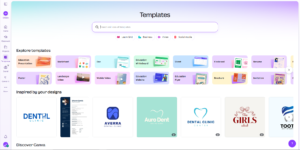
It provides thousands of templates for logos, presentations, and branding materials. The platform works in-browser and supports team collaboration. Not only that, but with Canva, you can easily customize designs using fonts, icons, and images. It also includes brand kits to maintain visual consistency.
What Makes Canva Unique?
Canva’s strength is in its combination of AI automation and manual design flexibility. With it, you can generate designs with AI and refine them using drag-and-drop tools. It also offers a massive template library with logos, social media posts, and branding. At the same time, its collaboration feature allows you and your team to work together in real time.
Pros
- Beginner-friendly drag-and-drop interface.
- Large template library for quick design.
- AI tools for image and layout generation.
- Supports team collaboration.
- Free plan available with useful features.
Cons
- Limited advanced design capabilities.
- Some premium assets require a subscription.
- Not ideal for highly custom illustrations.
- Templates may feel repetitive.
- AI features are restricted in the free plan.
Who is Canva best suited for?
Canva is best suited for those needing quick social media graphics and logos.
Midjourney
Midjourney is an advanced AI image generation tool that is known for producing high-quality artistic visuals. It works primarily through text prompts, allowing you to generate logos, illustrations, and concept art. Ideally, designers use Midjourney to create unique graphics that stand out.
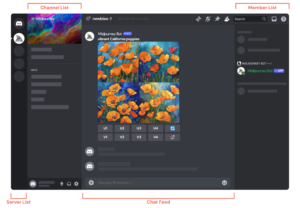
It excels in creativity and detailed image generation. Although it requires prompt writing skills, the results are highly customizable. Not to forget, but Midjourney operates through Discord, which makes collaboration possible within communities.
What Makes Midjourney Unique?
Midjourney’s uniqueness is in its artistic output quality. It produces visually appealing images that feel hand-designed. Unlike template-based tools, Midjourney generates original graphics from text prompts. This gives you unlimited creative possibilities. This creativity-focused approach sets Midjourney apart from traditional AI design tools.
Pros
- Highly creative AI-generated visuals.
- Unique designs not based on templates.
- Excellent for concept art and branding ideas.
- High-quality image output.
- Strong community collaboration.
Cons
- Requires prompt writing skills.
- No direct logo editing tools.
- Runs mainly through the Discord interface.
- Limited branding features.
- Paid subscription required.
Who is Midjourney best suited for?
Midjourney is best suited for those who want unique visual concepts for artistic logo inspiration and custom illustrations.
Adobe Firefly
Adobe Firefly is an AI-powered design tool developed by Adobe, and focused on generative design and image creation. It can integrate seamlessly with Adobe’s creative ecosystem, allowing you to generate graphics, text effects, and illustrations using prompts.
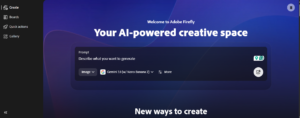
Firefly offers features like generative fill, text-to-image creation, and AI typography. Ideally, the platform emphasizes commercially safe content trained on licensed data. With it, you, as a designer, can quickly generate assets and refine them in other Adobe tools. It supports branding, logo ideas, and marketing visuals.
What Makes Adobe Firefly Unique?
Adobe Firefly stands out because of its integration with Adobe Creative Cloud. With it, you can generate AI designs and edit them directly in professional software. It also focuses on commercially safe AI content, which makes it suitable for businesses.
Pros
- Integration with Adobe Creative Cloud.
- High-quality AI-generated graphics.
- Commercially safe content generation.
- Strong typography tools.
- Professional editing flexibility.
Cons
- Requires an Adobe account.
- Some features are limited to paid plans.
- Learning curve for beginners.
- Limited standalone functionality.
- Works best within the Adobe ecosystem.
Who is Adobe Firefly best suited for?
Adobe Firefly is best suited for professional designers who are already using Adobe tools.
People also like: Best Free Graphic Design Tools
Figma
Figma is a collaborative design platform widely used for UI/UX and graphic design. With AI plugins and automation tools, Figma now supports AI-assisted logo and graphic creation. The platform runs in the browser and allows you and your team to design together in real time.
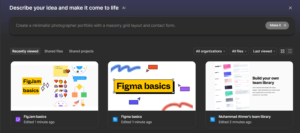
You can create vector graphics, logos, and branding elements with precision. At the same time, Figma’s plugin ecosystem includes AI tools for layout generation and design suggestions. Its collaborative workflow also makes it popular among teams.
What Makes Figma Unique?
Figma’s real-time collaboration sets it apart from other AI design tools. With it, multiple team members can work on the same design simultaneously. Its vector-based design system also offers precision for logo creation. At the same time, the AI plugins can enhance productivity by automating layouts and suggestions.
Pros
- Real-time collaboration features.
- Precise vector design capabilities.
- AI plugins for automation.
- Browser-based accessibility.
- Strong design system support.
Cons
- Limited built-in AI features.
- Requires learning design basics.
- Advanced features may overwhelm beginners.
- Offline access limited.
- Some plugins require paid plans.
Who is Figma best suited for?
Figma is best suited for those who need precise design control with AI assistance.
You may also like: Top Figma Alternatives for UI/UX Designers
Kittl
Kittl is an AI-powered design platform that is focused on typography, branding, and graphic creation. It provides you with advanced text styling tools, logo templates, and AI-assisted design generation. It is especially popular for creating logos, posters, and merchandise graphics, and offers an intuitive interface with drag-and-drop functionality, which makes it easy for everyone to create professional designs.
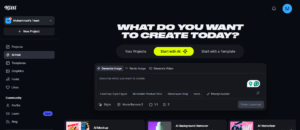
Not only that, but its AI features can help you generate layouts, fonts, and design suggestions quickly. It also includes a large library of illustrations and customizable elements, and bridges the gap between simple design tools and professional-level control.
What Makes Kittl Unique?
Kittl stands out because of its advanced typography tools. It allows you to apply professional text effects, curved lettering, and vintage-style fonts easily. The platform also combines AI generation with manual editing flexibility. Unlike basic logo generators, Kittl offers layered design control.
Pros
- Strong typography and text styling tools.
- AI-assisted design suggestions.
- Easy drag-and-drop interface.
- Large template and asset library.
- Good for branding and merchandise design.
Cons
- Limited advanced vector editing.
- Some features are locked behind a paid plan.
- AI generation is not as strong as its competitors.
- Requires an internet connection.
- Smaller plugin ecosystem.
Who is Kittl best suited for?
Kittl is best suited for those who are focusing on typography-heavy designs and want stylish text-based visuals.
Ideogram
Ideogram is an AI image generation platform that is known for creating text-based visuals and logos. It allows you to generate graphics using prompts that include typography. The tool is particularly useful for logo ideas, posters, and branding visuals.
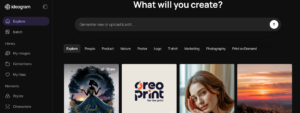
Ideally, it excels at producing readable text within generated images, which many AI tools struggle with. With it, you can also experiment with styles, fonts, and layouts easily. At the same time, it’s web-based and easy to use, which makes it accessible for beginners.
What Makes Ideogram Unique?
Ideogram’s ability to generate readable text within images makes it unique. Most AI tools struggle with typography, but Ideogram handles it effectively. That’s why, with Ideogram, you can create logos with clear brand names. The AI also supports various artistic styles, which makes it ideal for branding visuals and posters.
Pros
- Generates readable text in designs.
- Creative logo concept generation.
- Easy prompt-based workflow.
- Multiple artistic styles available.
- Good for branding inspiration.
Cons
- Limited manual editing tools.
- Not ideal for final logo production.
- Requires prompt experimentation.
- No built-in brand kit features.
- Export options are limited.
Who is Ideogram best suited for?
Ideogram is best suited for designers and creators looking for logo inspiration, as it works well for brainstorming branding visuals.
Related Guide: Adobe Illustrator Alternatives
Logo.com
Logo.com is an AI-powered logo maker that is designed to help you create branding quickly. The platform generates logos based on business name, industry, and style preferences and offers customizable templates and icons. Logo.com also provides brand kits, including social media assets and marketing materials.
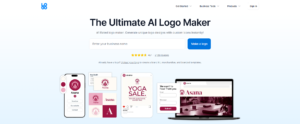
At the same time, its interface is simple and beginner-friendly, allowing you to edit fonts, colors, and layouts easily. At last, it also allows you to download logos and branding assets.
What Makes Logo.com Unique?
Logo.com stands out because it offers free logo creation with branding tools. With it, you can generate logos quickly and customize them easily. The platform also provides basic brand assets like social media designs, and its guided workflow can help beginners to create logos without confusion.
Pros
- Free logo generation available.
- Beginner-friendly interface.
- Quick branding asset creation.
- Customizable templates.
- Fast design workflow.
Cons
- Limited advanced design control.
- Smaller icon library.
- Branding assets basic.
- Not ideal for complex logos.
- Fewer customization options
Who is Logo.com best suited for?
Logo.com is best suited for those who are looking for quick logo creation.
Conclusion
AI tools for logo and graphic design have made professional branding more accessible than ever. Whether you are in need of a quick logo, advanced typography, or creative concept design, there is an AI tool for every requirement. That’s why, above, I’ve shared tools with different specialities, so that you can find the best one.
Ultimately, choosing the right tool depends on your goals, budget, and design experience. If you are a beginner, you may prefer simple AI tools, while professionals might be eyeing advanced editing and collaboration features.
FAQ’s
- What is the best AI tool for logo design?
The best AI tool depends on your needs. Looka and Logo.com are great for quick logos, while Midjourney and Ideogram work well for creative concepts.
- Are AI logo generators free to use?
Many tools offer free plans, but high-resolution downloads and branding kits often require payment.
- Can AI tools replace professional designers?
AI tools can help speed up design, but may not fully replace professional designers.
- Which AI tool is best for beginners?
Looka and Logo.com are beginner-friendly. They provide templates and simple interfaces that require no design experience.
- Can I use AI-generated logos commercially?
Most tools allow commercial use, but you should review licensing terms.