Now Reading: Canva vs Photoshop: Which One Is Better in 2026?
-
01
Canva vs Photoshop: Which One Is Better in 2026?

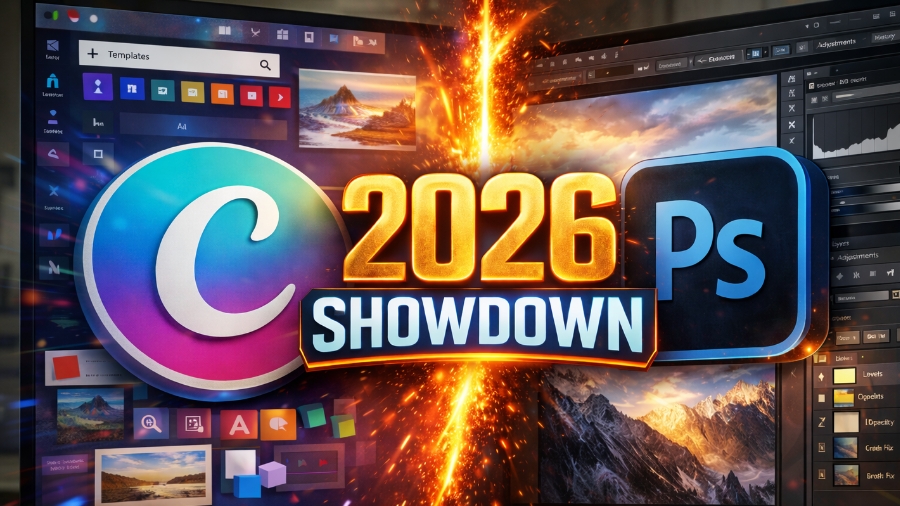
In 2026, design is no longer limited to professionals who work with heavy, premium software. From social media creators and small businesses to marketers and UI designers, in 2026, everyone is looking for fast, reliable, and visually appealing design tools. This is where Canva and Photoshop dominate the conversation.
Both are powerful and valuable tools in their own way, but they serve very different types of users and design needs. That’s why it is no surprise that many designers and small business owners find it challenging to choose the best one for them.
If you are also one of them, then don’t worry, because in this guide, we will explore in detail everything you need to know about Canva and Photoshop. We will also talk about its free and paid models, as well as pros and cons, so that you can choose the right software for your use.
What is Canva
In simple terms, Canva is a cloud-based graphic design tool that is built for ease of use and speed. It allows users to create designs using drag-and-drop tools and pre-designed templates, without needing prior design experience. Ideally, Canva is widely used for social media posts, presentations, marketing materials, and basic branding tasks.
Because it runs in a browser and mobile apps, you can design from anywhere without installing heavy software. In 2026, Canva became especially popular among small businesses, freelancers, students, and content creators who want professional-looking designs quickly. Currently, over 220 million people use Canva, with 21 million paying customers.
What is Photoshop
Adobe Photoshop is a professional image editing and graphic design software that is used across industries such as photography, advertising, UI design, and digital art. Unlike Canva, Photoshop offers pixel-level control, advanced editing tools, and complete creative freedom. It is primarily used for photo manipulation, retouching, compositing, and complex design work that requires in-depth accuracy and depth.
Photoshop is installed software and works best on powerful systems. In 2026, it remains the industry standard for professionals who need precision, custom workflows, and advanced features. However, its learning curve and cost make it less suitable for beginners who want quick and easy-to-use software.
Canva Free Account Features & Benefits
Easy Drag-and-Drop Design Tools
Canva’s free account offers an extremely user-friendly drag-and-drop editor that allows anyone to design without technical design skills. Users can add text, images, icons, shapes, and backgrounds in seconds.
On top of that, the overall interface is clean and intuitive, which makes it ideal for beginners. Even in 2026, this simplicity remains Canva’s biggest strength, because it allows everyone, especially beginner users, to focus on creativity instead of learning complex design rules.
Large Collection of Free Templates
The free version of Canva includes thousands of ready-made templates for social media posts, posters, presentations, and more. These templates are professionally designed and customizable by professionals.
Users can quickly adjust colors, text, and images to match their needs. This feature saves time and helps non-designers create visually consistent content without starting from scratch every time.
Access to Free Stock Photos and Elements
Canva provides a generous library of free stock photos, icons, illustrations, and design elements, which is a key part of making the free plan of Canva unique. Users can use these assets without worrying about licensing issues. While premium assets are locked, the free collection is still strong enough for everyday design needs such as Instagram posts, blog graphics, and simple branding visuals.
Cloud-Based Editing and Collaboration
With a free Canva account, users can save their designs in the cloud and access their work from any device. It also supports basic collaboration, enabling teams to share designs and give feedback in real time. This makes Canva especially useful for remote teams, students, and small businesses that need fast and flexible design workflows without spending anything.
Photoshop Free Account Features & Benefits
Limited Access via Adobe Photoshop Web
Photoshop does not offer a full free desktop version, but users can access limited features through Photoshop Web with a free Adobe account. This version allows basic photo edits, cropping, and simple adjustments. While restricted, it gives beginners a small view of Photoshop’s interface and workflow before purchasing a paid plan.
Basic Photo Editing and Adjustments
The free access includes basic editing tools like brightness, contrast, cropping, and simple retouching. These features are useful for quick image corrections but are far from Photoshop’s full capabilities. Compared to Canva, this free functionality is very much limited, especially for users looking for ready-made designs or templates.
Integration with Adobe Ecosystem
Even with limited free access, Photoshop can connect with Adobe’s ecosystem, including Adobe Express and cloud storage. This allows users to experiment with Adobe tools and understand how professional workflows operate. However, most advanced features remain locked behind paid plans, which makes the free version more of an introduction than a complete solution.
Canva Paid Account Features & Benefits
Premium Templates and Brand Kits
Canva Pro unlocks thousands of premium templates that are designed for marketing, branding, and business use. Paid users can also create brand kits by saving logos, brand colors, and fonts in one place. This ensures visual consistency across all designs. For businesses and creators in 2026, this feature can save time and help maintain a strong, recognizable brand identity without hiring a professional designer.
Unlimited Access to Stock Photos, Videos, and Elements
With a paid Canva account, users get unlimited access to millions of premium stock photos, videos, icons, illustrations, and graphics. This removes creative limits and eliminates the need for third-party stock websites. Everything is license-safe and ready to use, which makes content creation safe and more cost-effective for social media, ads, and website use.
Background Remover and Magic Tools
Canva Pro includes powerful AI tools like background remover, magic resize, and smart design suggestions. The background remover works in one click, which is extremely helpful for product images and profile photos. Magic resize, on the other hand, allows users to instantly adapt one design into multiple sizes, which improves the overall workflow efficiency across different platforms.
Advanced Collaboration and Team Controls
Paid plans of Canva offer better collaboration features, including team roles, shared folders, and approval options. Businesses can manage access levels and keep the design structure organized. This is ideal for marketing agencies, startups, and marketing teams that are working together. In 2026, Canva’s team feature is among its biggest highlight which makes it a strong alternative to traditional design workflows.
Cloud Storage and Content Scheduling
Canva Pro provides increased cloud storage and built-in content scheduling for social media platforms. Users can design and schedule posts from the same dashboard. This all-in-one approach also helps creators and businesses to manage content without switching between multiple tools, which in turn saves time and improves productivity.
Photoshop Paid Account Features & Benefits
Advanced Photo Editing and Retouching Tools
Photoshop’s paid version offers unmatched control over photo editing. Tools like layers, masks, healing brushes, and content-aware fill allow precise and in-depth image manipulation. Professionals rely on these features for high-end retouching, advertising visuals, and detailed artwork. In 2026, Photoshop remains the top choice for complex image editing tasks, for high-end, professional-level video and photo-editing.
Complete Creative Control with Layers and Masks
Photoshop provides full freedom through layers, blending modes, and masks. Designers can build complex compositions and make non-destructive edits. This level of control is a must for professional workflows where accuracy and customization matter. Unlike Canva, Photoshop does not limit creativity to templates or presets.
AI-Powered Features and Smart Selection
Modern Photoshop includes AI-based tools such as generative fill, smart object selection, and automated enhancements. These features play a key role in speeding up editing while maintaining professional quality. AI, on the other hand, helps reduce manual work, which makes Photoshop more efficient for designers handling large and complicated projects.
Support for Professional File Formats
Photoshop supports a wide range of file formats, including PSD, TIFF, RAW, and high-resolution exports. This makes it suitable for print, web, and commercial use. Designers can work with large files without quality loss, which is also critical for agencies and production teams.
Integration with Adobe Creative Cloud
A paid Photoshop plan integrates seamlessly with other Adobe tools like Illustrator, Lightroom, and After Effects. Files can be shared across apps, which enables smooth professional workflows. This ecosystem is a major advantage for designers who are working on advanced, multi-platform projects.
Pros and Cons Of Canva
Pros
Extremely Beginner-Friendly: Canva is easy to use, even for those with no design background. Its drag-and-drop interface and templates make design fast and look professional. This simplicity is perfect for small businesses, students, and new content creators.
Fast Design Workflow: Designs can be created in minutes using templates and pre-made elements. With Camva, you can save time by removing the need to start the design from scratch, which is ideal for many businesses.
Affordable All-in-One Tool: Canva Pro offers design, stock assets, collaboration, and scheduling in one subscription. This makes it cost-effective compared to using multiple tools separately.
Cons
Limited Customization: Canva does not offer full creative control like Photoshop. Advanced edits, complex compositions, and detailed effects are mostly restricted, which can frustrate professional designers using the free version.
Template-Based Designs: Because many users rely on the same templates, designs can sometimes look generic, and standing out from your competitors can require extra effort.
Not Ideal for Advanced Print Work: Canva has limitations in color control, file formats, and print settings. This makes it less suitable for professional printing and large-scale commercial projects.
Pros and Cons of Photoshop
Pros
Industry-Level Design Control: Photoshop offers unmatched precision and flexibility. Designers can control every pixel of their photo and video, which makes it ideal for professional and commercial work.
Powerful Editing Capabilities: From photo manipulation to digital art, Photoshop handles complex tasks as nothing. Its one of the reasons why its tools are trusted across industries worldwide.
Scalable for Professional Growth: Photoshop grows with the user. As skills improve, the software continues to support more advanced techniques and workflows.
Cons
Steep Learning Curve: Photoshop is not beginner-friendly. It is one of the reasons why new users often feel overwhelmed by its tools, panels, and workflows, which require time and practice to master.
Higher Cost: Photoshop requires a monthly subscription, which may feel expensive for casual users and small creators who only need basic designs.
Requires Powerful Hardware: Photoshop performs best on high-end systems. Older or low-spec devices may struggle, which can affect the overall performance and productivity.
Canva vs Photoshop: Which is Best for You
In 2026, the choice between Canva and Photoshop depends entirely on your goals. Canva is perfect for users who want speed, simplicity, and professional-looking designs without any technical complexity. That’s why it is mainly preferred by small businesses, marketers, and content creators. Photoshop, on the other hand, is built for professionals who need complete creative control, advanced editing, and industry-level precision. While it demands time, skill, and investment, it delivers unmatched results.
If you need quick designs and branding support, Canva is the smarter choice. If your work requires detailed editing and creative freedom, Photoshop remains unbeatable.
FAQ’s
- Is Canva better than Photoshop for beginners?
Yes, indeed, ideally, Canva is much better than Photoshop for beginners.
- Can professionals use Canva?
Yes, Canva is suited for professionals.
- Does Photoshop offer a free version?
Photoshop has limited free access through its web version, but full features require a paid plan.
- Which tool is better for photo editing?
Photoshop is indeed better for advanced and professional photo editing with detailed control.
- Can I use both Canva and Photoshop together?
Yes, many creators use Canva for fast designs and Photoshop for advanced editing tasks.