Now Reading: Slack vs Microsoft Teams: Team Communication Tools Compared
-
01
Slack vs Microsoft Teams: Team Communication Tools Compared
Slack vs Microsoft Teams: Team Communication Tools Compared

It is not hidden from anyone that team communication tools have become the backbone of modern workplaces, especially as remote and hybrid work continue to grow. That’s why it is no wonder that the internet is filled with such team communication tools. However, among the most widely used tools today are Slack and Microsoft Teams.
Both platforms aim to replace scattered emails and disconnected conversations with structured, real-time communication. However, they both serve different needs, and understanding them is key for you to choosing the right tool for your workplace. This guide is intended to do just that. Below, we’ve shared all the necessary information you need to be sure which tool you should opt for.
What is Slack?
In simple terms, Slack is a cloud-based team communication platform designed to organize conversations into channels, making collaboration more structured. Instead of relying on long email threads, you and your team can communicate through topic-based channels, direct messages, and threaded conversations.

The platform can integrate seamlessly with thousands of third-party tools such as project management software, CRMs, cloud storage, and automation apps, which allows you to receive updates, trigger actions, and manage work directly from there. Slack is widely used by teams of all sizes because of its speed, flexibility, and clean interface.
While Slack does not try to replace full productivity suites, it works best as a central communication hub that can connect people and tools.
What is Microsoft Teams?
Microsoft Teams is a collaboration platform that is built as part of the Microsoft 365 ecosystem. It combines chat, video meetings, file sharing, and app collaboration into a single workspace. Unlike tools like Slack, which are focused only on messaging, Teams is designed to support full workplace collaboration.
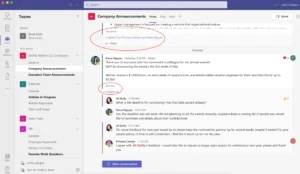
It allows you to chat in channels, hold video conferences, co-edit documents, and manage files directly within conversations. Not only that, but its deep integration with Microsoft apps like Word, Excel, Outlook, and SharePoint makes it especially effective for organizations that are already using Microsoft products.
While it can feel complex at first, Teams provides a unified environment for communication, meetings, and document collaboration under one platform.
Top Features & Benefits of Slack
Channel-Based Communication
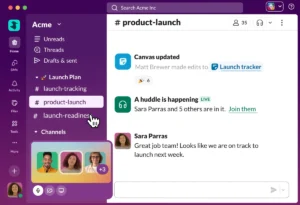
In Slack, you can organize conversations into channels based on teams, projects, or topics, keeping discussions focused and easy to follow. This structure can prevent information from getting lost in private messages. What makes it even better is that these channels can be public or private, which allows transparency while maintaining control.
Threaded replies, on the other hand, can further keep conversations organized, especially in busy teams. This approach makes Slack ideal for fast-moving environments where multiple discussions happen simultaneously.
Powerful Third-Party Integrations
Slack can connect seamlessly with thousands of external tools, allowing your team to centralize work updates inside conversations. These integrations can send notifications, sync data, and trigger actions without switching platforms.
For example, project updates, CRM changes, and form submissions can appear instantly in channels. This can reduce context switching and improve the overall workflow efficiency. The ability to customize workflows through integrations is one of Slack’s strongest advantages.
Advanced Search and Message History
Slack offers powerful search capabilities that allow you to find messages, files, and links quickly. Conversations in Slack are indexed and searchable, which makes it easier to retrieve past discussions.
This is especially valuable for distributed teams and long-term projects. Filters, keywords, and user-based search options can significantly improve accuracy. Having access to an organized message history reduces repetitive questions and supports better documentation.
Workflow Automation Tools
Slack includes built-in workflow automation features that can help you automate routine actions, making it a useful automation tool for teams and businesses. With Slack, you can create simple workflows for onboarding, approvals, reminders, and data collection without needing any coding skills.
These automation capabilities help reduce manual work and streamline everyday tasks. When combined with various integrations, Slack workflows become even more powerful, allowing teams to automate processes and improve operational efficiency directly within communication channels.
Clean and User-Friendly Interface
Slack’s interface is designed to be intuitive and fast. Its navigation is simple, customization options are clear, and onboarding is straightforward. The best thing about Slack is that even newcomers can quickly adapt to the platform without training. This ease of use improves its adoption rates and reduces friction across teams.
Top Features & Benefits of Microsoft Teams
Deep Microsoft 365 Integration
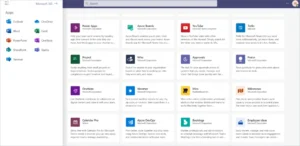
Microsoft Teams is tightly integrated with Microsoft 365 apps, which allows you to access Word, Excel, PowerPoint, and Outlook directly within conversations. Files are stored in SharePoint and can be edited collaboratively in real time. This can reduce duplication and improve the overall document control.
For organizations that are already in Microsoft’s ecosystem, Teams can act as a central collaboration layer. This integration can make workflows smoother and keep the communication and productivity tightly connected.
Built-In Video Meetings and Calls
Teams includes native video conferencing, voice calls, and scheduled meetings without relying on third-party tools. You can host large meetings, share screens, record sessions, and manage calendars seamlessly. This all-in-one approach reduces tool sprawl.
No wonder that Teams is especially useful for organizations that rely heavily on meetings, training sessions, and webinars. Having chat and meetings in one platform can significantly improve continuity and collaboration.
Strong File Management and Collaboration
Microsoft Teams uses SharePoint for file storage, which can help in structured document management. Files shared in channels are automatically organized and permission-controlled.
In Teams, you can co-edit documents in real time, which can reduce version conflicts. This makes it suitable for teams that handle large volumes of shared documents.
Enterprise-Grade Security and Compliance
Teams offers advanced security, data protection, and compliance features. It supports enterprise requirements such as data loss prevention, retention policies, and regulatory compliance.
This makes it suitable for those businesses that work with strict data standards. IT teams can also benefit greatly from Team’s centralized admin controls and user management.
Scalable for Large Organizations
Microsoft Teams is designed to scale across departments and global teams. It supports large user bases, structured team hierarchies, and organization-wide collaboration. This scalability makes it ideal for large enterprises and institutions.
While smaller teams may find it a bit complex, they can still find Teams greatly useful once they understand its prime functionalities.
Pros and Cons of Slack
Pros
Intuitive user experience: Slack offers a clean, intuitive interface that anyone can adopt quickly without training, which makes daily communication faster and reduces friction for new hires and non-technical users.
Excellent channel organization: Channel-based messaging on Slack keeps conversations structured by topic or project, which can help teams maintain transparency and locate information without digging through private messages.
Strong third-party integrations: Slack can integrate seamlessly with thousands of tools, and allowinmg you to receive updates, automate workflows, and manage tasks directly inside conversations.
Powerful search functionality: Advanced search in Slack can allow you to quickly locate past messages, files, and decisions, which can turn conversations into a long-term knowledge base for teams.
Flexible for modern teams: Slack can work especially well for remote and hybrid teams that rely heavily on real-time communication.
Cons
Can become expensive: As your team grows, you’ll require Slack’s paid plans for advanced features, which can increase quickly, especially for larger organizations.
Limited built-in productivity tools: Slack focuses on communication and relies heavily on integrations rather than offering built-in document creation, task management, and meeting tools.
Notification overload risk: Without proper channel and notification management, Slack can become noisy, which can be distracting and can reduce focus during deep work.
Weaker for large enterprises: Slack lacks some enterprise-grade compliance, governance, and admin controls, which are required by highly regulated or very large organizations.
File management limitations: While file sharing is supported, Slack is not designed for structured document storage and long-term file management.
Pros and Cons of Microsoft Teams
Pros
Deep Microsoft ecosystem integration: Teams can work seamlessly with Microsoft 365 apps, and can help enable real-time document collaboration and unified workflows for organizations that are already using Microsoft products.
Built-in meetings and calls: Chat, video meetings, voice calls, and scheduling are native to Teams, which can reduce the need for separate conferencing tools.
Strong security and compliance: Enterprise-grade security, data protection, and compliance features are built into Teams, which makes it suitable for large organizations.
Centralized file collaboration: Files shared in Teams are stored in SharePoint, which allows structured access control and long-term collaboration.
Scales well for enterprises: Teams supports large user bases, departments, and global organizations with centralized administration and governance controls.
Cons
Steeper learning curve: New users often find Teams complex because of its many features, menus, and settings, which can slow adoption initially.
Interface can feel cluttered: The combination of chat, files, meetings, and apps in Teams can feel overwhelming, especially for smaller teams that don’t need all these features.
Performance issues at times: Teams can feel slow and resource-heavy at times, particularly on older systems and during large meetings.
Less flexible integrations: While integrations with third-party tools exist, Teams is less flexible than Slack when connecting diverse third-party tools that are outside the Microsoft ecosystem.
Slack vs Microsoft Teams: Which is Better?
Slack is better for teams that prioritize fast, real-time communication and flexibility. It works especially well for startups, agencies, and remote teams that use multiple third-party tools and need a clean, focused messaging platform.
Microsoft Teams, on the other hand, is the stronger choice for organizations that are already using Microsoft 365 or need an all-in-one collaboration environment. It combines chat, meetings, file collaboration, and enterprise security in a single platform. Teams is primarily used by mid-sized to large organizations, regulated industries, and companies that require structured workflows and governance.
Conclusion
Choosing between Slack and Microsoft Teams comes down to how your team works, not which tool has more features. Keep in mind that communications tools are most effective when they match your team’s daily workflows and reduce friction rather than adding complexity.
That’s why, above, we’ve shared all the necessary information you might need to be sure which platform can best suit your organization’s workflow.
FAQ’s
- Is Slack better than Microsoft Teams for remote teams?
Yes, Slack is often considered better for remote teams because of its simplicity and real-time messaging focus.
- Does Microsoft Teams replace Slack?
Teams can replace Slack if an organization needs integrated meetings and files, and is already in Microsoft’s ecosystem.
- Which tool is easier to use?
Slack is generally easier to use and faster to adopt.
- Is Microsoft Teams free to use?
Teams offers free and paid plans, often bundled with Microsoft 365.
- Can both tools scale for large companies?
Yes, but Microsoft Teams is better suited for large, regulated organizations.