Now Reading: Adobe Illustrator vs CorelDRAW: Vector Design Comparison
-
01
Adobe Illustrator vs CorelDRAW: Vector Design Comparison

It is no secret that vector design software is essential for creating scalable graphics such as logos, illustrations, icons, and print materials without sacrificing quality. Unlike raster images, vector designs look sharp, making them the ideal choice for a range of designs. Seeing the importance of vector designs, it is no wonder that there are a plethora of tools in the market promising quality vector designs.
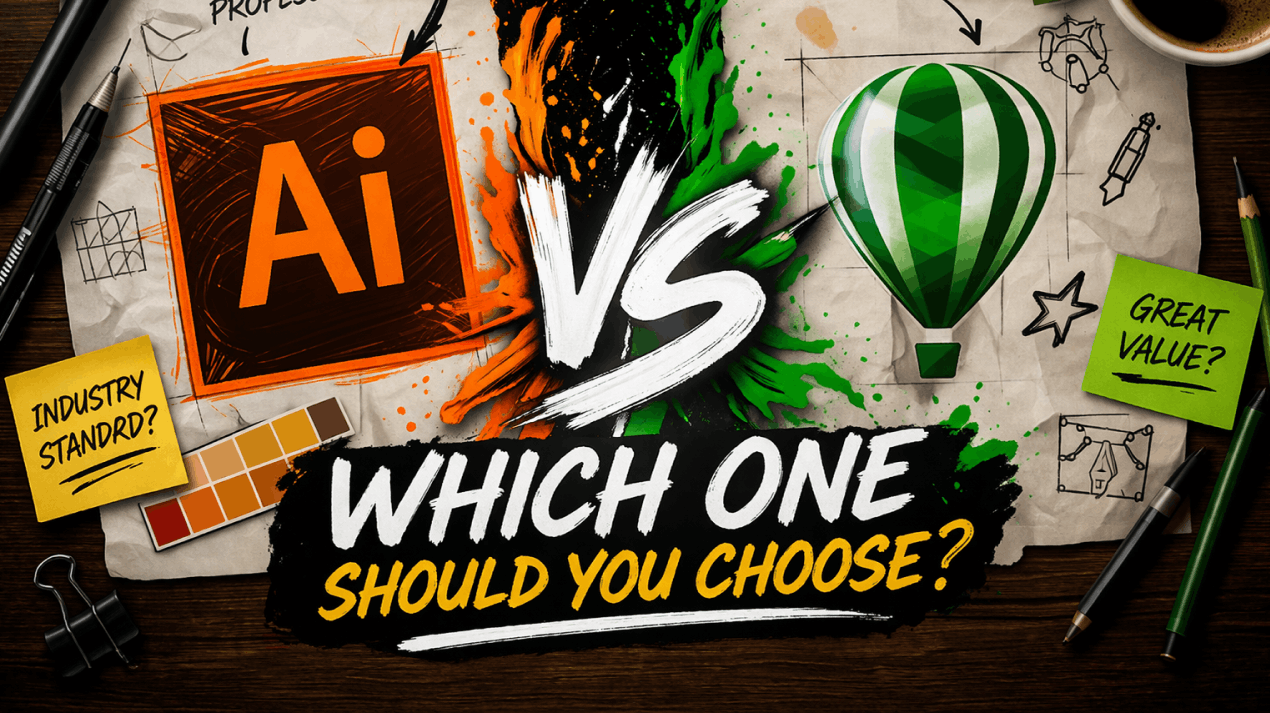
Among many, Adobe Illustrator and CorelDRAW are two of the most established tools in this space. Both tools are widely used for professional vector design, yet they differ in workflow, interface, pricing model, and industry adoption. And understanding these differences can be key to choosing the right platform.
This is what we’ll do today. This guide explains everything you need to know about Adobe Illustrator and CorelDRAW. We’ll not only share their benefits and features but also their cons and weaknesses, so you can get the full picture of which tool can be the best fit for you.
Adobe Illustrator Overview
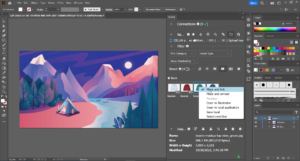
In simple words, Adobe Illustrator is a professional vector graphics editor that is developed by Adobe. It is designed for creating scalable illustrations, logos, typography, icons, and complex artwork. It uses mathematical paths instead of traditional pixels, which ensures that all your designs remain sharp at any size.
Illustrator is a core part of Adobe Creative Cloud and can integrate seamlessly with Photoshop, InDesign, and other tools in the Adobe ecosystem. Not only that, but Illustrator also offers advanced drawing tools, precise control over anchor points, and industry-standard color management.
While powerful, Illustrator can be complex to understand for complete beginners. Its subscription-based pricing model and professional-grade tools make it one of the very best in the industry.
CorelDRAW Overview
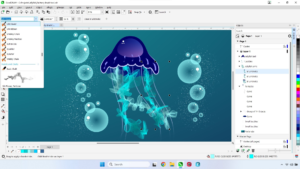
CorelDRAW is a vector graphic design software that is developed by Corel. It primarily focuses on illustration, layout, typography, and print design, and allows you to create logos, signage, and multi-page layouts within a single application. Unlike Illustrator, CorelDRAW is often praised for its simple and easy-to-understand interface.
The software includes strong layout tools, flexible typography controls, and powerful print-oriented features. It supports both subscription and one-time purchase options, which makes it appealing to those who prefer ownership over recurring payments.
Top Features & Benefits of Adobe Illustrator
Precision Vector Drawing Tools
Adobe Illustrator offers industry-leading vector drawing tools that allow precise control over shapes, paths, and anchor points. As a designer, you can create complex illustrations using the Pen Tool, curvature tools, and advanced shape builders.
This precision is critical for logo design and technical illustrations, where accuracy matters more than anything. Illustrator also supports non-destructive editing, which allows you to adjust your designs without permanent changes.
Seamless Adobe Ecosystem Integration
Illustrator can integrate easily with other Adobe applications, including Photoshop, InDesign, and After Effects. Because of that, files can be shared, edited, and linked across these tools without compatibility issues.
This integration also plays a key role in streamlining workflows for designers who are working on multi-format projects such as branding systems, marketing campaigns, and publications. Not only that, but assets that are created in Illustrator can be reused across different platforms efficiently.
Advanced Typography Control
Illustrator provides advanced typography tools that can play a key role in manipulating text with high accuracy. You can control kerning, tracking, leading, and text on paths with high accuracy.
Not only that, but variable fonts and OpenType features also enable flexible typographic design. This level of control is essential for branding, editorial design, and logo typography.
Illustrator treats text as a design element rather than static content, which gives the designers freedom to experiment while maintaining professional typographic standards.
Professional Color Management
Illustrator supports advanced color management systems, including CMYK, RGB, Pantone, and spot colors. This ensures color accuracy across different screens and print outputs.
As a designer, you can define color profiles and maintain consistency throughout projects. This feature is especially important for print production and brand identity work. Accurate color handling also reduces costly printing errors and ensures designs match intended specifications across different devices and materials.
Industry-Standard File Compatibility
Adobe Illustrator files are widely accepted across design agencies, printers, and production teams. The software supports multiple export formats, including SVG, PDF, EPS, and AI, which is also a bonus.
This compatibility ensures smooth handoffs between teams and vendors. Not only that, but because of that, designers can deliver files confidently, knowing they are meeting industry standards.
Also Read This: 9 Best Adobe Illustrator Alternatives
Top Features & Benefits of CorelDRAW
User-Friendly Interface
CorelDRAW is known for its simple and easy-to-understand interface, which allows everyone to start designing quickly without getting overwhelmed by the interface. Inside, tools are clearly labeled, and workflows feel logical even for beginners.
This reduces the initial learning curve compared to more complex vector software like Illustrator. Because of that, you can focus on creativity rather than navigation. For small teams and independent designers, this usability leads to faster project completion and easier onboarding.
All-in-One Design Environment
CorelDRAW combines vector illustration, page layout, and typography tools in one application. As a designer, you can design multi-page documents without switching software. This all-in-one approach can simplify workflows for print materials such as brochures, flyers, and signage.
At the same time, it can eliminate the need for separate layout tools, which makes CorelDRAW efficient for print-focused design tasks.
Strong Print and Signage Tools
CorelDRAW offers powerful tools for print production, including bleed settings, color separations, and layout controls. These features are highly valued by print shops and signage businesses.
As a designer, you can prepare files accurately for production without extra software. This focus on print reliability makes CorelDRAW a practical choice for real-world output.
Flexible Licensing Options
CorelDRAW offers both subscription-based and one-time purchase licenses. This flexibility is especially appealing to those who prefer avoiding ongoing costs. It also gives you the option to choose a model that fits your budget and usage style.
Efficient Performance on Modest Hardware
CorelDRAW runs efficiently on a wide range of systems, including lower-spec machines. This allows designers to work smoothly without purchasing expensive hardware upgrades.
Pros and Cons of Adobe Illustrator
Pros
Industry-standard precision tools: Illustrator provides unmatched precision through advanced anchor point control, path editing, and drawing tools, which can help you create highly accurate vector artwork that is required for branding, illustration, and professional print production.
Deep Creative Cloud integration: Illustrator can integrate seamlessly with Photoshop, InDesign, and other Adobe tools, which allows smooth asset sharing, consistent workflows, and efficient collaboration.
Advanced typography capabilities: The software offers professional typography controls, including OpenType features, variable fonts, kerning precision, and text-on-path tools, making it ideal for logo design, editorial layouts, and brand identity development.
Excellent color management: Illustrator supports CMYK, RGB, spot colors, and Pantone systems with reliable color profiles, which ensure visual consistency across digital screens and print outputs.
Broad industry acceptance: Illustrator files are universally accepted by printers and production teams, which can help reduce compatibility issues and make it a dependable choice for professional designers working with external vendors.
Cons
Steep learning curve: Illustrator’s extensive toolset and complex interface can be overwhelming for beginners, as it requires significant time and practice before you can become efficient using the platform.
Subscription-only pricing: Illustrator is available only through a recurring subscription, which may feel expensive over time, especially for freelancers and those who prefer one-time software purchases.
Resource-intensive performance: The software can be demanding on system resources, and sometimes can cause slowdowns on lower-end hardware when handling complex illustrations.
Overkill for simple tasks: For basic vector needs like simple logos or icons, Illustrator’s advanced features may be unnecessary and can slow down workflows compared to simpler design tools.
Limited standalone value: Illustrator delivers maximum value when you use it with other Adobe apps, which can push you deeper into the Adobe ecosystem and increase overall software costs.
Pros and Cons of CorelDRAW
Pros
Easier learning curve: CorelDRAW’s easy-to-understand interface and logical tool layout makes it easier for beginners to start with, which allows everyone to become productive faster without extensive training.
All-in-one design workflow: CorelDRAW’s software combines vector illustration, page layout, and typography in one environment, which can reduce the need for additional tools during print and marketing design projects.
Flexible licensing options: CorelDRAW offers both subscription and one-time purchase licenses, which give you financial flexibility and makes itself appealing to designers who prefer owning software outright.
Strong print-focused features: Built-in print tools in CorelDRAW, like bleed settings, color separations, and layout controls, make it highly practical for print shops, signage businesses, and production-heavy workflows.
Efficient system performance: CorelDRAW can run smoothly on modest hardware, which allows those designers with not very premium setups to work efficiently.
Cons
Smaller industry adoption: CorelDRAW is less commonly used in large agencies and global design teams, which can create compatibility challenges when collaborating with Illustrator-centric workflows.
Limited Creative Cloud-style integration: Unlike Illustrator, CorelDRAW may lack deep integration with a broader creative ecosystem, which may slow several workflows.
Fewer advanced illustration tools: While capable, CorelDRAW lacks some advanced illustration and path-editing tools that professional illustrators usually rely on for complex artwork.
Less common file standards: Some printers and agencies prefer Adobe file formats, which can occasionally require extra export steps when delivering CorelDRAW-based projects.
Weaker UI and motion support: CorelDRAW is less suited for UI design, web graphics, or motion workflows compared to tools integrated into Adobe’s broader design ecosystem, like Illustrator.
Adobe Illustrator vs CorelDRAW: Which is Better?
Adobe Illustrator is the better choice for professional designers who need advanced illustration tools and seamless integration with Adobe’s ecosystem. It excels in branding, complex vector artwork, and projects that require strict print accuracy.
CorelDRAW, on the other hand, is better suited for those who prioritize ease of use, print-focused design, and flexible licensing. It works especially well for small studios, print shops, and designers who want an all-in-one solution without committing to subscriptions.
Conclusion
Choosing between Adobe Illustrator and CorelDRAW is less about which tool is “better” and more about how you work as a designer. At the end, the right tool is the one that can support your workflow consistently, reduce friction, and allow you to deliver high-quality vector designs confidently and efficiently.
That’s why, above, we’ve shared all the necessary information you need to be sure which tool can best fit your needs.
FAQ’s
- Is Adobe Illustrator better than CorelDRAW for logo design?
Yes, Adobe Illustrator is preferred for logo designs.
- Is CorelDRAW good for beginners?
Yes, CorelDRAW is easier to learn for new designers.
- Which tool is better for print design?
CorelDRAW is often favored for print and signage work.
- Does Illustrator require a subscription?
Yes, Illustrator is available only via subscription.
- Can CorelDRAW replace Illustrator?
It can fwork or many print-focused workflows, but not all professional environments.