Now Reading: Webflow vs WordPress: Which Is Better for Business Websites?
-
01
Webflow vs WordPress: Which Is Better for Business Websites?
Webflow vs WordPress: Which Is Better for Business Websites?

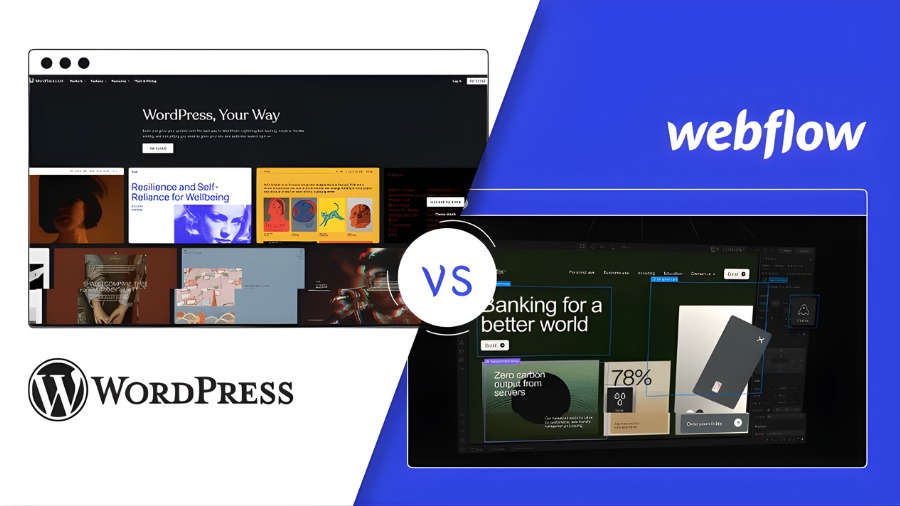
In 2026, choosing the right platform for your business website is no longer just for design purposes. It can significantly affect the scalability and long-term cost of launching a website.
That’s why there are a range of platforms on the internet that can help you do just that. Among them, Webflow and WordPress are two of the most popular options. However, they both serve businesses in very different ways, and understanding those differences is key to making the right decision.
If you are also among those who are confused as to which platform to choose. Then, don’t worry, because in this guide, we will share everything you need to know about Webflow and WordPress. We will share their strengths and weaknesses, which can ultimately help you understand what serves your needs the best.
What is Webflow
In simple terms, Webflow is a visual website-building platform that allows you to design, build, and launch your websites without writing code. It combines a drag-and-drop design interface with simple HTML, CSS, and JavaScript output. Unlike traditional website builders, Webflow gives you precise control over layout, animations, and responsiveness.
Webflow also includes built-in hosting, security, and performance optimization. This means that as a business owner, you do not need to manage servers, updates, and other technical maintenance by yourself. That’s why this platform is often used by startups, agencies, and marketing teams who want modern, high-performing websites without relying heavily on developers.
What is WordPress
WordPress is an open-source CMS (content management system) that allows you to create and manage websites using themes and plugins, all while having the option to use custom coding if you want. Unlike Webflow, WordPress separates website design, hosting, and functionality, which can give you more control but also more responsibility.
One of WordPress’s biggest strengths is its flexibility. You can customize almost every aspect of your website through thousands of plugins and themes. It supports blogs, business websites, and even e-commerce stores.
That’s why WordPress is used by businesses of all sizes, as it can scale easily and adapt to different needs. However, it is also worth noticing that managing updates, security, and performance issues often requires complex maintenance, which increases the need for a developer at times.
Webflow Top Features and Benefits
Visual Design Control Without Code
Webflow allows you to design your website visually while generating clean, production-ready code in the background. This gives marketing teams and designers full control over layouts, typography, and other important animations without relying on developers.
Unlike traditional page builders, Webflow does not force its users to use ready-made, rigid templates. You can create unique brand experiences while maintaining consistent design across pages. This feature is especially useful for those companies that prioritize branding and modern UI design.
Built-In Hosting and Performance Optimization
Webflow includes fast, reliable hosting with built-in performance optimization. Websites are hosted on a global content delivery network, ensuring fast loading times across regions. All of that makes sure that you do not need to worry about server configuration, caching, and other manual optimizations. This, as a whole, can significantly reduce technical overhead and help improve user experience.
Strong CMS for Marketing Teams
Webflow’s CMS can help you manage dynamic content like blogs, case studies, and portfolios easily. Content can easily be updated without affecting the design structure. This is ideal for those businesses that frequently publish content.
Advanced Animations and Interactions
Webflow supports advanced animations and interactions without requiring any prior knowledge about programming. You can create engaging user experiences with scroll effects, transitions, and other micro-interactions, as you want. These elements can play a major role in helping improve user engagement and brand perception as a whole.
Simplified Maintenance and Security
Webflow handles updates, security patches, and backups automatically. Its means that you do not need to manage plugins and core updates. This, as a whole, reduces maintenance costs and lowers the risk of security issues. For those companies that want predictable website management, this is a major benefit.
WordPress Top Features and Benefits
Massive Plugin Ecosystem
WordPress offers you complete access to thousands of plugins that can significantly extend website functionality. You can add SEO tools, analytics, forms, eCommerce features, and other valuable integrations easily. This flexibility allows WordPress to adapt to almost any business requirement. The plugin ecosystem is one of the main reasons why WordPress remains widely used.
Full Ownership and Customization
WordPress is open-source, meaning you have full control over your website. It means you can customize code, change hosting providers, and even build in-house custom features. This level of ownership is important for those companies that have specific technical and compliance needs. Not on;y that, but it also allows long-term scalability.
Strong Content Management Capabilities
WordPress started as a blogging platform, and content management remains one of its strongest features. It means you can manage large volumes of content efficiently. Categories, tags, pages, and custom post types make it suitable for content-heavy websites to upload and organize all the content effectively. This is ideal for those businesses who relies heavily on SEO rankings.
Large Community and Support Resources
WordPress has a massive global community. You can find tutorials, developers, and solutions to specific problems easily. This reduces your dependency on a single provider. Not only that, but the availability of support also makes WordPress a reliable long-term platform.
eCommerce Flexibility with WooCommerce
Although WordPress started as a blogging platform, it now integrates seamlessly with WooCommerce, which plays a key role for businesses to build customizable online stores. Not only that, but it also allows blogging websites that are planning to sell products or services online implement their plan seamlessly.
Webflow Pros and Cons
Pros
Clean, High-Performance Code Output: Webflow generates clean HTML, CSS, and JavaScript without unnecessary bloat. This results in fast-loading websites, which is non-negotiable for those business who relief heavily on SEO rankings. Unlike many page builders, Webflow does not rely heavily on scripts that come with the risk of slowing the sites down.
Reduced Technical Maintenance: Webflow handles hosting, updates, backups, and security automatically. It means that you do not need to worry about managing servers and updating plugins manually. This reduces ongoing technical workload and can lower the risk of site issues. For those business who did not have dedicated developers, this simplicity is a major advantage.
Strong Design Consistency: Webflow enforces design consistency through reusable components and global styles. This can help you maintain brand identity across all pages. Its specially important for Businesses who follow strict branding guidelines.
Faster Launch for Marketing Websites: Webflow enables faster website launches because everything is built and hosted in one platform. This speed is valuable for campaigns, landing pages, and product launches. Not only that, but it also allows businesses to respond to market changes without long development cycles.
Reliable Hosting Infrastructure: Webflow’s hosting is stable and scalable. Your website will handle traffic spikes without manual server adjustments. This reliability is important for growing businesses and campaigns. Not only that, but the downtime risks are also less compared to self-managed hosting.
Cons
Limited Plugin and Integration Options: Webflow does not feature a plugin ecosystem as compared to WordPress. That’s why you may find fewer native integrations for adding advanced features in your site. It is among the reasons why custom functionality is often required for some tasks which can be a headache for some businesses.
Higher Ongoing Costs: Webflow uses a subscription-based pricing model. Hosting, CMS access, and additional features, all come at a recurring cost. For some businesses, especially small ones, this can be more expensive than WordPress hosting.
Steeper Learning Curve for Non-Designers: While Webflow is no-code, it often requires understanding layout, spacing, and responsiveness. Its one of the reason why non-designers often struggle to adapt Webflow initially.
Less Flexible for Large Content Sites: Webflow is not ideal for very large content-heavy websites. Managing thousands of posts and complex content structures can become challenging in Webflow, which WordPress can handle effectively.
Platform Dependency: Webflow is a closed platform. That’s why you have to depend on Webflow’s infrastructure and pricing. Not only that, but migrating the website can also be difficult.
WordPress Pros and Cons
Pros
Full Control and Ownership: WordPress gives you complete ownership of your website. You can choose hosting, modify code, and control all the data. This flexibility is valuable for long-term planning and compliance requirements. It also means that you are not locked into a single provider.
Unmatched Customization Options: With a range of themes, plugins, and custom development options, you can tailor your WordPress site to almost any requirement. You can build unique features and workflows, which makes WordPress suitable for complex websites and applications.
Scales Well with Business Growth: WordPress can handle small business sites as well as large websites. With proper hosting and optimization, you can scale your website effectively and can grow your business without switching platforms.
Strong SEO Capabilities: Because WordPress starts as a blogging site, it offers strong SEO tools through plugins. You can control metadata, URLs, and content structure easily, which is an added bonus for those businesses who rely heavily on organic traffic.
Large Talent Pool: Finding WordPress developers, designers, and support is relatively easy, considering the huge community and scope it contains. It can also help you increase your team with ease.
Cons
Ongoing Maintenance Required: WordPress requires regular updates for core files, themes, and plugins. Without maintenance, your site will bear the risk of a security breach. That’s why many large-scale websites require technical support to manage this properly.
Performance Depends on Setup: On WordPress, the site speed depends heavily on hosting, themes, and plugins, and choosing the wrong option can significantly impact your website. Keep in mind that performance optimization is not automatic on WordPress and and requires effort.
Security Risks: Because WordPress is widely used, it is also a common target for cyber attacks. That’s why, if you are aiming to manage a large-scale business on WordPress, you need to invest in security measures.
Plugin Conflicts: While plugins work as suppportive partner for a WordPress site, using multiple plugins at once can cause compatibility issues. Oftentimes, upfates can break functionality, which, as a result, can disrupt business operations as a whole.
Higher Complexity for Non-Technical Users: WordPress can be challenging for beginners. Managing plugins, hosting, and other technical settings requires technical understanding.
Conclusion
Webflow and WordPress both are a strong option to build your business website on, but they serve different priorities. Keep in mind that the right choice depends heavily on your business goals and technical capacity. And since there is no one-size-fits-all solution, choose what suits you best. Because what can work for others might not work for you. That’s why, above, we’ve shared all the necessary information you might need to choose between Webflow and WordPress.
FAQ’s
- Is Webflow better than WordPress for business websites?
It depends on your goal. Webflow is better for design-focused and low-maintenance sites, while WordPress suits flexible and content-heavy businesses.
- Which platform is easier to manage?
Webflow is often considered easier because it handles hosting, updates, and security automatically.
- Can WordPress match Webflow’s design quality?
Yes, but it often requires premium themes or custom development.
- Which is more cost-effective long term?
WordPress can be cheaper initially, but keep in mind the costs of hosting and a domain, which you have to arrange on your own.