Now Reading: Figma vs Adobe XD: UI Design Tool Comparison
-
01
Figma vs Adobe XD: UI Design Tool Comparison

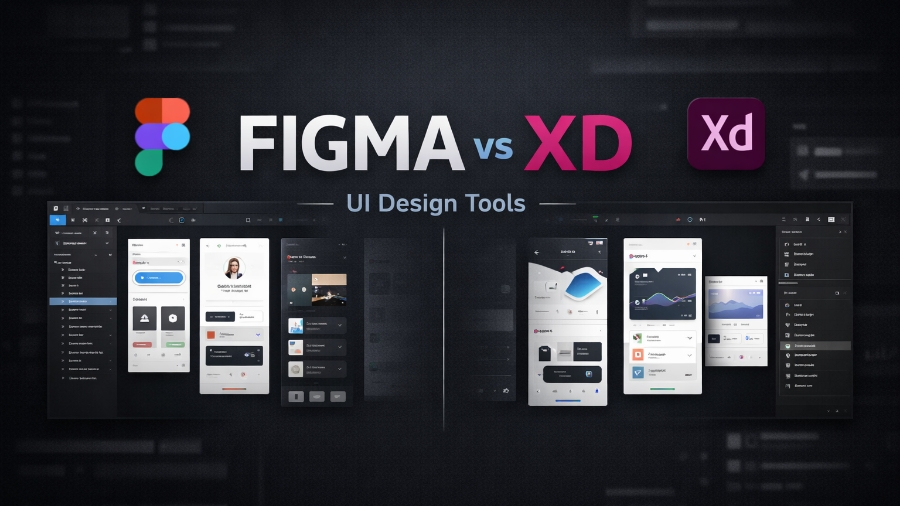
Choosing the right UI design tool plays a big role in how smoothly your final designed product looks. Considering the importance of UI design, there are countless tools available on the market. However, two of the most talked-about tools today are Figma and Adobe XD. Both are widely used by UI/UX designers, product teams, and agencies, but they work in very different ways, and understanding them is key to making sure that you choose the right tool for your work.
Because of the complexities of the top layer, it can be difficult to choose the right option. If you are one of those, then don’t worry, because in this guide, we will talk about Figma and Adobe XD, and compare them so that you can easily choose what fits your needs.
What is Figma?
In simple terms, Figma is a cloud-based UI and UX design tool that is used to create website layouts, mobile app designs, and prototypes. Unlike traditional software, Figma runs directly in the browser, which means you don’t need a powerful PC system to use it.
One of Figma’s biggest strengths is real-time collaboration. Multiple designers and developers can work on the same design file at the same time. With that, any change to the product will appear instantly, which makes feedback faster and clearer.
Figma also supports components, auto layout, and shared libraries, which can help teams to maintain consistency across designs. Because everything is stored online, files are easy to share and manage. All of this makes Figma especially popular among remote teams, small startups, and fast-moving product companies.
What is Adobe XD?
Adobe XD is a UI/UX design and prototyping tool, which is developed by Adobe. It is designed mainly for creating wireframes, high-fidelity designs, and interactive prototypes for websites and mobile applications. Unlike Figma, Adobe XD is a desktop-based application, meaning it must be installed on your system.
Adobe’s ecosystem made Adobe XD work smoothly with other Adobe tools like Photoshop, Illustrator, and After Effects. This makes it a strong choice for designers and teams who are already working inside the Adobe ecosystem.
This tool offers features like repeat grids, vector-based design, and interactive prototyping with transitions and animations. Not only that, but Adobe XD is known for its clean interface and fast performance on local machines. It’s also worth noticing that while collaboration features exist in Adobe XD, they are more limited compared to Figma’s real-time editing approach.
Figma Features and Benefits
Real-Time Collaboration for Design Teams
Figma allows multiple users to work on the same file at the same time. Designers, developers, and even clients can view edits live without downloading files. This real-time collaboration reduces misunderstandings and speeds up the decision-making process.
Not only that, but comments can also be added directly to designs, which makes the feedback clear and organized. For remote teams, this feature saves hours of back-and-forth communication and keeps everyone on the same page throughout the design process.
Cloud-Based Access from Anywhere
Because Figma runs in the browser, you can access your design files from any device with an internet connection. There is no risk of losing files because of system crashes or local storage issues. Automatic saving ensures your work is always up to date and secured properly.
This flexibility is ideal for freelancers, agencies, and teams that work across different locations or time zones.
Powerful Components and Design Systems
Figma makes it easy to create reusable components like buttons, headers, and forms. When a component is updated, changes will instantly apply everywhere it’s been used. This helps maintain visual consistency across large projects.
At the same time, shared libraries can be helpful to manage brand colors, typography, and UI elements in one place, which makes scaling designs much easier and faster.
Auto Layout for Responsive Design
Auto Layout in Figma can help designers build responsive layouts that adapt to different screen sizes. Elements automatically adjust spacing and alignment when content changes. This feature reduces manual resizing and can help designers think more like developers. It’s especially useful for mobile apps, dashboards, and complex UI layouts where responsiveness is non-negotiable.
Easy Sharing and Developer Handoff
Figma simplifies design handoff by allowing developers to inspect designs directly. They can view CSS, measurements, and other assets without needing extra tools. The shareable links can make collaboration smoother and reduce errors during development. This feature helps bridge the gap between design and development teams.
Adobe XD Features and Benefits
Seamless Integration with Adobe Creative Cloud
Adobe XD works perfectly with tools like Photoshop and Illustrator. Designers can easily import assets without losing quality or structure, which is important. This integration is ideal for those who already rely on Adobe software. It creates a smooth workflow from graphic design to UI design, which helps save time and effort during complex projects.
Fast Performance on Desktop Systems
Because Adobe XD runs locally on your system, it offers strong performance on high-end machines. Large files can open quickly, and animations can feel smooth, depending on your system’s specifications. The best thing about this is that designers can continue working offline without interruptions. This makes Adobe XD a good option for those who prefer desktop-based tools over browser-based platforms.
Repeat Grid for Faster Layout Creation
Repeat Grid allows designers to duplicate lists, cards, and galleries quickly. You can resize content and automatically fill it with text or images. This feature is useful for designing e-commerce pages, portfolios, and content-heavy pages. It can significantly reduce repetitive design work and speed up layout creation.
Interactive Prototyping and Animations
Adobe XD offers advanced prototyping features, including transitions, overlays, and auto-animations. Designers can create realistic user flows without third-party tools. These interactive previews can help stakeholders understand how the final product will look and behave, which makes approvals from top management easier and more accurate.
Voice Prototyping and Micro-Interactions
Adobe XD supports voice-based interactions, which help designers to prototype voice commands and responses. It also enables detailed micro-interactions that can improve user experience. These features can help design modern apps that focus on accessibility and smart interfaces.
Figma Pros and Cons
Pros
Real-Time Collaboration Advantage: Figma’s biggest strength is real-time collaboration. Multiple users can design, comment, and edit the same file together. This removes long feedback loops and version issues.
Easy Access with No Heavy Installation: Figma works directly in the browser, so there’s no need for powerful hardware or downloading large software. Designers can start working instantly from any device. This flexibility is helpful for freelancers, students, and teams working across different systems.
Strong Design Systems and Components: Figma makes managing design systems simple. Components, styles, and shared libraries can help maintain consistency across projects. On top of that, updates can apply everywhere automatically. This saves time and reduces mistakes, especially in large products.
Developer-Friendly Handoff: Developers can inspect designs, check spacing, colors, and other key details directly from Figma. This reduces confusion and makes everything clear.
Cons
Cloud Dependence Can Be a Limitation: Figma relies heavily on an internet connection. While offline mode exists, it’s limited. That’s why poor connectivity can slow work or even block access in some cases. For those who prefer full offline control, this can be a downside compared to a desktop-based tool like Adobe XD.
Limited Advanced Prototyping Features: While Figma covers basic prototyping well, advanced interactions and animations can sometimes feel limited. Designers who need highly detailed motion design or micro-interactions often have to rely on other tools. This adds extra steps to the workflow.
Dependency on Subscription Model: Figma’s free plan is generous, but many advanced features, like team libraries and analytics, require paid subscriptions. For small teams or freelancers, these costs can add up over time.
Adobe XD Pros and Cons
Pros
Deep Integration with Adobe Tools: Adobe XD works smoothly with Photoshop and Illustrator. That’s why those designers who are already using Adobe products can move their assets easily. This creates a familiar workflow and saves time when switching between graphic design and UI design tasks.
Strong Offline Performance: Adobe XD runs locally on your system, which makes it reliable without internet access. As a designer, you can work anytime, anywhere.
Advanced Prototyping and Animations: Adobe XD allows detailed animations and interactions. Features like auto-animate and voice prototyping can help create realistic user flows. These tools are useful when presenting ideas to clients or testing user experience before development begins.
Cons
Limited Collaboration Compared to Figma: While Adobe XD offers sharing and comments, collaboration is not real-time like Figma. Team members cannot edit the same file simultaneously. This can slow feedback and make teamwork less smooth for large or remote teams.
Slower Updates and Smaller Community: Adobe XD receives updates less frequently than Figma. On top of that, the plugin ecosystem and community support are also smaller. This means fewer third-party tools, templates, and learning resources compared to Figma’s growing ecosystem.
Limited Cross-Platform Flexibility: Adobe XD requires installation and works best on specific operating systems. Unlike Figma, which runs smoothly in any browser, Adobe XD’s dependency on local software can restrict quick access across devices. This makes it less convenient for teams or freelancers who often switch between systems.
Figma vs Adobe XD: What’s Best for You
Choosing between Figma and Adobe XD depends on how you work and what your team needs. If you require real-time collaboration, easy sharing, and cloud-based access, Figma is easily the better choice. It’s ideal for remote teams and fast-moving product companies that rely on quick feedback and teamwork.
On the other hand, Adobe XD ideally suits designers who already use Adobe tools and prefer working offline. If your workflow includes using tools like Photoshop and Illustrator daily, Adobe XD can fit your needs naturally.
In short, Figma focuses on collaboration and speed, while Adobe XD focuses on creative control within the Adobe ecosystem.
Conclusion
Both Figma and Adobe XD are powerful UI design tools, but they serve different needs, and understanding that is key to choosing the right tool for your work. Keep in mind that there is no single best tool for everyone. What works for one might not be ideal for the other. The right choice depends on your workflow, team size, and design goals. Above, we’ve shared all the information you need to make the right call for your work.
FAQ’s
- Is Figma better than Adobe XD for beginners?
Yes, Figma is easier for beginners because of its simple interface and browser-based access.
- Can Figma be used offline?
While you can use Figma offline, it has limited access without an internet.
- Is Adobe XD still relevant in 2026?
Yes, Adobe XD is still relevant in 2026 and loved by those who are part of a bigger Adobe ecosystem.
- Which tool is better for team collaboration?
Figma is better because it supports real-time collaboration.
- Can developers easily work with Figma designs?
Yes, Figma offers strong developer handoff tools with inspect and export options.