

Now Reading: Canva Review: Features, Pricing & Pros and Cons
-
01
Canva Review: Features, Pricing & Pros and Cons

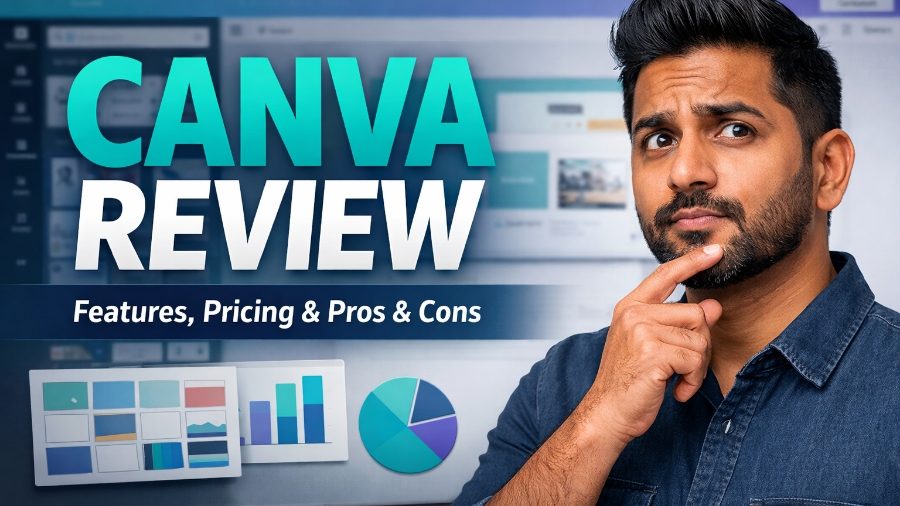
There is no doubt that Canva is one of the world’s most popular graphic design tool. It allows anyone to create professional-looking designs without needing advanced design skills and expensive software. While Canva itself has been able to stand out in this unique niche, people still want to know more about the platform so that they can choose whether it’s the right platform for them or not.
If you are also one of those, then don’t worry, because in this guide, we will share everything you need to know about Canva. We will talk about its features, pros, cons, and pricing structure so that you can be sure which plan suits your needs best.
What is Canva
Canva is a cloud-based graphic design platform that can help you create visual content easily and efficiently. Founded in 2013, Canva was built to remove the complexity of traditional design software. Back in the day, you needed to be a professional graphic designer to make premium-looking graphics, which Canva has changed from the get-go.
On Canva, you can design social media graphics, logos, flyers, resumes, presentations, videos, and more using pre-designed templates. Canva also includes tools for image editing, animation, and basic video creation.
In recent years, Canva has added AI-powered features like magic write, background removal, and automated design suggestions, which make using the platform even more beginner-friendly. On top of that, It works directly in a web browser and through mobile apps, which makes it accessible from anywhere.
Canva Top Features & Benefits
Drag-and-Drop Editor
Canva’s drag-and-drop editor is one of its strongest features. It allows you to create designs by simply moving elements from one place to another, tailored to your personal preference. On top of that, text, images, icons, and different shapes can also be added and adjusted in the graphic content in seconds.
Alignment guides and spacing tools also help you maintain balance and consistency, which can save your time and remove the frustration often linked with complex design software. It is so simple, and the experience is so seamless that even those with no prior design experience can make a design that looks like it was made by a professional.
Ready-Made Templates Library
Canva offers thousands of designed templates that are made by professionals in the industry for almost every use case. These templates cover social media posts, presentations, posters, ads, resumes, and even business documents. Each template is customizable, which means you can change its color, font, image, and content easily.
It can also play a key role in maintaining brand consistency while speeding up the design process. These templates also follow modern design trends, which can help your content look fresher and more relevant.
AI-Powered Magic Studio Tools
Canva’s Magic Studio has introduced AI tools that can automate and improve your design workflow. Features like magic write can help you generate text for designs, while background removal can instantly clean the image. The AI design suggestions can recommend to you layouts, colors, and fonts based on the content you are making.
These AI tools can reduce manual work and improve the overall output quality. With these tools, you can quickly turn ideas into finished designs without any issues. The Magic Studio is like your smart, creative assistant.
Brand Kit & Team Collaboration
Canva’s Brand Kit feature can help your business to maintain visual consistency across all designs. You can store brand colors, fonts, logos, and templates in one place. On top of that, team members can also collaborate in real time, leave comments, and edit the designs together, which helps reduce confusion and version control issues.
It is especially useful for marketing teams and agencies that are working on shared projects. Permissions can also be managed to control access levels.
Multi-Format Export & Publishing
Canva supports multiple export formats, including PNG, JPG, PDF, MP4, and GIF. Not only that, but designs can also be optimized for print, web, and social media with a few clicks. You can also schedule and publish your content directly from Canva to social platforms, this can help you do all the work and upload from one dashboard.
Canva’s export settings are also simple and flexible, which can allow you to control quality and size. This feature is valuable for those who manage multiple channels at once.
Canva Pricing Plans Explained
Canva offers flexible pricing plans to suit different users and business sizes.
- Canva Free: This plan costs $0 and includes basic design tools, limited templates, and standard assets, which is suitable for beginners.
- Canva Pro: It is priced around $12.99–$15 per month or $119.99–$120 annually, which can give you access to premium templates, 100GB+ storage, Magic Studio AI tools, and brand kits.
- Canva Teams: It costs about $14.99 per month and supports collaboration for up to five users, with all pro features, which makes it ideal for small teams.
- Canva Business: It is priced at roughly $20 per user per month or $200 annually, offering advanced workflows, brand management, and admin controls.
- Canva Enterprise: For large organizations, it provides custom pricing ranging from $2,000 to $30,000+ annually, with tailored security, support, and scalability features.
Pros and Cons of Canva
Pros
Easy to Use for Everyone: Canva is extremely beginner-friendly and does not require any design experience to make quality graphics. Its drag-and-drop editor makes creating visuals simple and fast. You can start designing within minutes without tutorials. Not only that, but with clear menus and guided layouts, there won’t be any confusion while making the design.
Huge Template and Asset Library: Canva offers millions of ready-made templates, including stock images, icons, videos, and fonts. These assets can help you design faster and maintain visual quality across your design. This reduces creative effort and saves time, as you can customize everything while still following modern design trends.
Powerful AI and Automation Tools: Canva’s AI features, like magic write, background remover, and design suggestions, can significantly speed up your content creation. These tools aimed to overcome creative blocks and reduce manual work. AI can also improve the overall productivity and design quality, as with it, you can generate ideas quickly, while beginners can get smart guidance.
Strong Team Collaboration Features: Canva allows real-time collaboration, comments, and shared folders. You can work with your team on the same design without any confusion. It also has a brand kits feature, which can help you maintain consistency across all visuals. With permission controls, you can choose which team member can access the visuals, which can help you avoid slip-ups.
Affordable Pricing with Free Option: Canva offers a generous free plan and affordable paid options. It allows small businesses and freelancers to start without upfront costs. Paid plans can help you unlock premium features at a reasonable price compared to other traditional design tools.
Cons
Limited Advanced Design Control: Canva can often lack deep customization options that you may find in professional tools like Adobe Illustrator. That’s why many advanced designers may feel restricted with the layout options, typography control, and effects. Not only that, but complex design projects can also feel difficult to execute.
Overused Templates Can Look Generic: Because millions of users rely on the same templates, designs can sometimes look repetitive and vague. Without proper customization, as your visuals may often lack originality even after customizing properly. Not only that, but those brands that do not adjust layouts, colors, and fonts risk blending in with competitors.
Internet Dependency: Canva is a cloud-based tool and requires a stable internet connection. Offline access is limited, which can be inconvenient in low-connectivity areas, as you cannot fully rely on Canva without internet access.
Premium Assets Locked Behind Paywall: Many high-quality templates, images, and features are only available in paid plans. While its free plan is generous, it may feel restricted when accessing premium content. This can limit creative freedom unless you upgrade your plan.
Not Ideal for Large-Scale Professional Printing: Canva is not always reliable for complex print requirements. Because color accuracy, bleed settings, and advanced print controls are limited. Professional print designers may need additional software to finalize their designs.
Conclusion
Canva is a powerful and user-friendly design platform that can suit a wide range of users, from beginners to professionals. Its ease of use, large template library, and AI-powered tools can make content creation fast and affordable. In 2026, Canva continues to stand out as a reliable, all-in-one visual design platform for individuals and teams who value speed, simplicity, and consistency over complex design workflows.
Above, we’ve shared almost all the necessary information that you might need to make a decision whether Canva as a graphic design tool can be best for your personal and team work or not.
FAQ’s
- Is Canva free to use?
Yes, Canva is free to use, with options to upgrade depending on your requirements.
- Is Canva good for small businesses?
Yes, Canva is ideal for small businesses.
- Can Canva replace professional design software?
It can for basic needs, but not for advance professional design work.
- Does Canva support team collaboration?
Yes, Canva’s paid plans offer real-time collaboration and brand management tools.
- Is Canva suitable for beginners?
Yes, Canva is designed for users with no design experience.












Pingback: Canva vs Figma: Which Tool Is Better for Designers?